- 01An “unidentified” monthly charge flagged in a routine check
- 02It turned out to be the old line from before I switched
- 03The billing name and the brand name can be different
- 04Clues for identifying it and where to look
- 05Steps to identify it
- 06Why charges remain after an MNP port-out
- 07What is left over after switching
- 08Two tasks remained
- 09What I should have done better in the routine check
- 10When you still can’t identify the biller
- 11Common mistakes and pitfalls
- 12Things to confirm before you start
- 13Frequently asked questions
- 14Official sources I referred to
- 15Summary
Good morning, まさきん here.
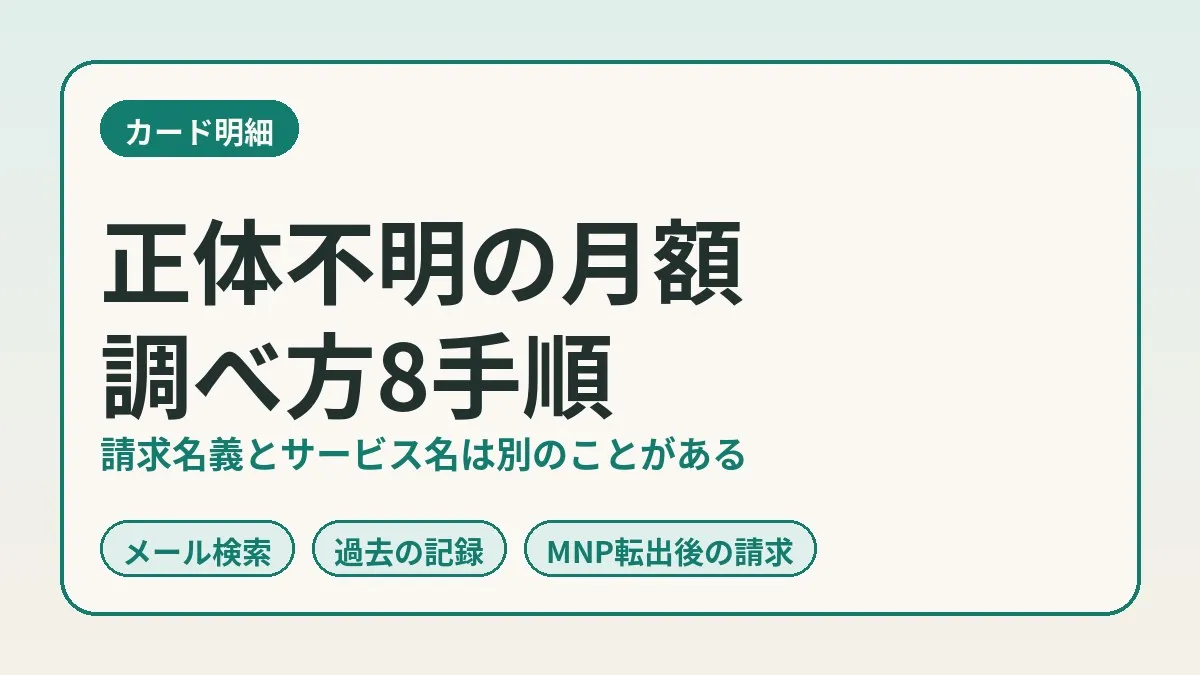
My card statement showed a monthly charge for a contract I couldn’t place. Looking at the biller’s company name, no service I recognized came to mind. When I looked into it, it was an old mobile line I had already switched away from. I am noting down the steps I took to identify it and why charges linger after an MNP port-out.
Note: this information is current as of publication. Please check the official sites for the latest conditions.
- An unfamiliar monthly charge on a card statement may simply be billed under the operating company’s name
- In my case it was a monthly fee in the 1,000-yen range, and it turned out to be the old line I had switched away from via MNP in mid-September
- When you can’t tell who the biller is, search your email for the company name and cross-check against your past contract notes
- NURO Mobile’s official FAQ states that the cancellation month is charged as a full month with no proration
- The charge arrives in the month after cancellation or later. Returning the SIM card is also left to do
An “unidentified” monthly charge flagged in a routine check
In our household, we inspect the card statements on a regular basis. It is a job of sorting each month’s fixed costs line by line. In that process, one line was left over as “unidentified.”
The amount was a monthly fee in the 1,000-yen range. The biller field showed only a company name. From that company name, I couldn’t immediately tell what contract it was.
In the 1,000-yen range, it is not an amount that stands out in the household budget as a whole. Still, continuing to pay for something without knowing what it is feels uncomfortable. So before stopping it, I decided to identify it first.
It turned out to be the old line from before I switched
I did two things. I searched my email inbox history. Then I cross-checked that against my past task records.
The result: it was a budget SIM line I used to use. NURO Mobile. The billing name was that of the operating company, Sony Network Communications.
I had already switched this line to Rakuten Mobile via MNP in mid-September. The MNP port-out had already cancelled it. So no new action was needed to stop it.
Let me be honest about one thing. At this point, I have not directly looked at the cancellation status on the carrier’s My Page. I have limited myself to verifying from emails and records.
The billing name and the brand name can be different
The reason I didn’t notice was fairly simple. The name of the service I was subscribed to and the company name on the statement were different.
What I had in my head was the brand name. What appeared on the statement was the name of the operating company. NURO Mobile’s support site is also labeled with the operating company’s name. It is the same contract, yet searching by name doesn’t find it.
This doesn’t seem to be anything unusual. Rakuten Card’s official page lists several examples of charges people don’t recognize. One of them is being billed under the operating company’s name. It also says charges can appear under the name of a payment processing company.
I wrote about being puzzled by an English-letter billing name in my X DEVELOPER PLATFORM post. That one was a case of “it looked monthly but was a one-off.” This time it was the opposite: it really was monthly. It was just that the name didn’t connect.
Clues for identifying it and where to look
When you can’t tell who the biller is, a single line on the statement offers more clues than you might expect. Here is how to investigate, in a table.
| Clue | Where to look | How to search |
|---|---|---|
| Biller’s company name | The merchant name field on the statement | Search your email for the company name as is |
| Services it operates | The company’s official site | Work backward from the company name to the brand name |
| Billing date | The date of use on the statement | If it is the same day every month, suspect a recurring contract |
| Consistency of the amount | Statements from the past few months | If the same amount continues, it may be a base fee |
| Variation in the amount | Statements from the past few months | If it moves by tens of yen, it may be usage-based, such as call charges |
| Past contract notes | Task records or review sheets | Look for records of contracts, cancellations, and switches |
| Family use | Asking your family | Ask whether anyone registered the card with a service |
Personally, what worked best was the combination of row 1 and row 6. Searching email for the company name brings up the sign-up notices and billing notifications. The brand name is written there.
Once you know the brand name, all that is left is to search your own records. In my case, that name was in my task record for the switch.
Steps to identify it
Here is the flow, numbered. If you go from the top, I think in most cases you will find out what it is partway through.
- Copy down the biller’s company name from the statement exactly as written
- Line up the billing dates and amounts for the same name across the past 3 months or so of statements
- Search your email inbox history for the company name
- Pick out the service name (brand name) from the emails that come up
- Search your past contract notes and task records for the brand name
- Check whether the contract is still active or already cancelled
- If it is cancelled, look up in the official help when the last charge will arrive
- Set a date to confirm that the charges have stopped
If nothing comes up in email, skip step 3 and look at the company’s official site. The page describing its business often lists the services it operates.
For step 6, checking on the carrier’s My Page is really the reliable way. This time I stopped at cross-checking emails and records. I consider this a point where the precision of my check is a notch lower.
Why charges remain after an MNP port-out
From here on, I am sorting through official information. It may look odd for a charge to appear when the contract is already cancelled. But once you look at the mechanism, it behaves naturally.
According to the Ministry of Internal Affairs and Communications, MNP is a system that lets you change mobile carriers while keeping your phone number. With the one-stop method, the line switches over at the moment the new contract is completed. The contract with the previous carrier is cancelled automatically.
NURO Mobile’s official FAQ had an explanation to the same effect. Here are the main items in a table.
| Item | What the NURO Mobile official FAQ says (summary) |
|---|---|
| Cancellation date | The day the port-out to another carrier is completed |
| Monthly fee in the cancellation month | A full month is charged (no proration) |
| Cancellation fee | None |
| MNP port-out fee | None on any plan |
| Billing timing | Billed in the month after the cancellation month or later |
| Remaining device installments | Payments continue after cancellation |
| SIM card | It is on loan, so it must be returned after cancellation |
In short, the contract ends at the moment you port out. Meanwhile, that month’s fee is charged as a full month. The charge arrives in the following month or later. There is a time lag between cancellation and billing.
How long the last charges keep coming
The official FAQ also gives an example of billing timing. Data charges for March usage are billed to the card company in April. Voice call charges for March usage are billed to the card company in May.
Let me apply this to a September port-out. The monthly fee would reach the card company in October. If there are call charges, another charge may arrive in November.
However, the official FAQ also carries a caveat: billing timing varies by card company. So the month in which it actually appears on the statement may shift either way.
Even if a charge for the old line appears the month after you switch, it seems you can’t immediately call it a double payment. Before rushing to contact anyone, it looks wise to count back to the last month of use.
The handling of the cancellation month and the billing timing described here are what I confirmed in NURO Mobile’s official FAQ. Whether there is proration and when billing happens differ from company to company. If you switched from another carrier, please check that carrier’s official help.
What is left over after switching
When you switch via MNP, the line moves to the new carrier. But several loose ends remain on the old line’s side. I put them in a table based on the Ministry of Internal Affairs and Communications guidance and how carriers generally handle things.
| What remains | Details | Where to check |
|---|---|---|
| Final month’s fee | Whether it is prorated depends on the carrier | The old line’s official help |
| Usage-based charges such as calls | May be billed later than the monthly fee | The old line’s billing statement |
| Returning the SIM card | Some carriers ask for it back as a loaned item | The old line’s official help |
| Options and bundled services | Whether they end with the line depends on the contract | The old line’s My Page |
| Remaining device installments | Payments continue after cancellation | The old line’s billing statement |
| Discounts tied to annual contracts and the like | Cancelling may incur separate costs | The paperwork from when you signed up |
The Ministry of Internal Affairs and Communications lists three cautions about MNP. Services and discounts from your current carrier end on cancellation. Content and provider services may not carry over. And with discounts tied to annual contracts and the like, separate costs may arise.
The switching procedure itself is summarized in my guide to switching via MNP. I hope you will read this post as the story of the tidying up that comes afterward.
So the mystery monthly charge led back to my phone costs. While you have the statement open, I think lining up your current phone bill once makes it easier to compare.
Clicking this opens the Rakuten login page. Once you log in, you’ll see the campaign details.
Two tasks remained
No action was needed to stop the charge. But two tidying-up tasks remained.
Returning the SIM card
The first is returning the SIM card. NURO Mobile’s official FAQ says the SIM card is a loaned item. It must be returned after cancellation.
It also said how to return it. You sandwich it between pieces of cardboard or similar so it is less likely to be damaged, and send it by post or courier. Shipping is at the user’s expense. No documents identifying the subscriber are required. It appears that dropping it off in person is not supported.
As for where to send it, the official FAQ gives the address of a logistics center. The address can change, so it is safest to check the official page before sending.
The deadline for returning it was not stated on the official FAQ page I looked at. Tasks with no visible deadline tend to get put off. So I set my own due date and made it a task.
Confirming the charges have stopped
The second is checking the statements for the following month and after. I will confirm on the statement whether the charges have really stopped. I have also set the date to check.
That day hasn’t come yet, though. So I will leave the result out of this post.
Completion of a cancellation is judged not by the day of the procedure but by the day the charges stop. This is the rule I set in my post about the subscription I had marked “cancelled”. I applied it here as is.
What I should have done better in the routine check
This time, there was also something to reflect on in the inspection process itself.
The switching task had already been recorded as complete. Meanwhile, the routine check was flagging the same charge as “unidentified.” I wasn’t cross-checking the two records.
Had I compared it against completed tasks, I would have known from the start that it was “the final charge for the old line.” The effort of investigating may not have been needed in the first place.
In work terms, it is close to a state where the list of initiatives and the numbers report run separately. In household inspections too, it seems wise to line up recent contract changes before looking at the statement.
When you still can’t identify the biller
I expect there will be times when you go through the steps and still can’t tell what it is. Here is how to proceed in that case, based on official guidance.
Rakuten Card’s official page lays it out in three stages. First, check whether it matches one of the common cases. Next, the cardholder contacts the merchant (the biller) directly. If that still doesn’t resolve it, you contact the card company’s support.
The common cases listed include the following.
- A family member is using a service with your card registered
- The company is based overseas and it shows as “overseas use”
- The purchase date and the date of use on the statement differ
- It is billed under the name of a payment processing company
- It is billed under the operating company’s name rather than the store name
- After a free trial, it moved automatically to a paid plan
The National Consumer Affairs Center of Japan also urges people to check their statements regularly. Its guidance is to contact the card company early if there is a charge you don’t remember making. The Consumer Hotline “188” is also introduced as a place to turn when you are in trouble.
A charge you can identify by investigating and a charge you truly don’t recognize are different matters. If suspicion of the latter remains, I think contacting the card company rather than shouldering it yourself is the quickest route.
Common mistakes and pitfalls
From this episode and the official information, here are the points where it is easy to stumble.
- Searching the statement by brand name only and concluding “no match”
- Seeing a charge the month after switching and deciding it is a double payment
- Not knowing the port-out cancelled the contract, and hunting around for a cancellation procedure
- Tucking the SIM card away in a drawer without returning it
- Looking only at the monthly fee and missing call charges that arrive later
- Running completed tasks and routine checks separately
The ones that applied to me were the first and the last. For whether contracts with similar uses are overlapping, I think the perspective in my post on duplicate subscriptions can be used as well.
Things to confirm before you start
- Have you noted the biller’s company name from the statement exactly as written?
- Can you go back through the past 3 months or so of statements?
- Have you listed the contracts you recently switched or cancelled?
- Have you asked whether family members have registered the card with any service?
- Have you checked in the official help how the old line’s cancellation month is handled?
- Have you checked whether the SIM card needs to be returned?
Frequently asked questions
Q. What should I check first for an unfamiliar monthly charge on my card statement?
A. I think searching your email for the biller’s company name as is will be quickest. The service name is often written in sign-up notices and billing notifications. Rakuten Card’s official page also gives being billed under the operating company’s name as an example.
Q. Why is the biller’s company name different from the service name?
A. Because the statement sometimes shows the name of the company that operates the service. In my case, NURO Mobile was billed under the name of its operating company, Sony Network Communications. Charges are also said to appear under the name of a payment processing company in some cases.
Q. How long do charges keep coming after an MNP port-out?
A. According to NURO Mobile’s official FAQ, usage fees are billed in the month after the cancellation month or later. Its example shows voice call charges arriving a further month later than data charges. The timing is also said to vary by card company.
Q. Is the fee for the cancellation month prorated?
A. With NURO Mobile, it is not. The official FAQ says a full month’s fee is charged for the cancellation month too. For other carriers, please check each one’s official help.
Q. After porting out via MNP, do I need a separate cancellation procedure?
A. According to NURO Mobile’s official FAQ, the day the port-out is completed becomes the cancellation date. The Ministry of Internal Affairs and Communications also explains that with the one-stop method, the previous contract is cancelled automatically. Still, it is reassuring to check once that no options or the like remain.
Q. Do I return the SIM card after cancelling a budget SIM?
A. It depends on the carrier. NURO Mobile’s official FAQ says the SIM card is a loaned item and must be returned. You sandwich it in cardboard or similar and send it by post or courier, with shipping at the user’s expense.
Q. Are there cancellation fees or MNP port-out fees?
A. NURO Mobile’s official FAQ says no cancellation fee is charged. It also explains that the MNP port-out fee is not charged on any plan. If you have remaining device installments, payments continue after cancellation.
Q. What should I do about a charge I can’t identify even after investigating?
A. Contact the biller directly, or contact your card company. The National Consumer Affairs Center of Japan advises contacting the card company early if there is a charge you don’t recognize. If you are unsure where to turn, the Consumer Hotline “188” is also available.
Official sources I referred to
- I want to cancel / port out via MNP (NURO Mobile FAQ)
- I want to know the charges on cancellation (NURO Mobile FAQ)
- I want to know about the SIM card after cancellation (NURO Mobile FAQ)
- I want to check my billing statement (amount) (NURO Mobile FAQ)
- Number portability for mobile phones and PHS (Ministry of Internal Affairs and Communications)
- Guidance on charges you do not recognize (Rakuten Card)
- Always check your credit card statement (National Consumer Affairs Center of Japan)
- About checking your statement (Japan Consumer Credit Association)
Summary
The mystery monthly charge on my card statement was an old line I had already switched away from. The billing name was the operating company’s, and it simply didn’t connect with the brand name. Searching email for the company name and cross-checking against past records was enough to identify it.
A line ported out via MNP is cancelled at that moment. But the last month’s charge arrives in the following month or later. Tidying up, such as returning the SIM card, also remains.
Perhaps a switch doesn’t end at activation. I think it is reassuring to put everything up to the last charge and the SIM card return into your tasks. When you review your phone costs, try scheduling the clean-up of the old line along with it.
Clicking this opens the Rakuten login page. Once you log in, you’ll see the campaign details.
This article contains affiliate advertising. If you sign up for a product or service through a link on this site, we may receive compensation from the partner company. The site operator is also an employee of Rakuten Group and may receive compensation through an employee referral program. The content and opinions here are based on the operator’s own experience and research regardless of any advertising relationship, but please read with the above in mind. See the Disclaimer & Affiliate Disclosure for details. Disclaimer & Affiliate Disclosure
This article includes machine-translated content. Please check the official Rakuten Mobile multilingual page for exact terms.
If you have concerns about Rakuten Mobile coverage or signal quality, you can consult through the official signal improvement request form .