- 01Once you consolidate, points on the old card stop
- 02Expiration rules come in three broad types
- 03Point expiration for major cards
- 04For the extending type, look at “the last day of activity”
- 05With the month-earned type, the oldest points expire first
- 06What happens to points when you cancel a card
- 07Where to check points and where to redeem them
- 08One line to add to your consolidation steps
- 09The check I did in my household
- 10What to do about points on cards you keep
- 11Common mistakes and pitfalls
- 12What to check before you start
- 13Frequently asked questions
- 14Official sources I referred to
- 15Summary
Good morning, this is まさきん.
In my household, we are working toward consolidating onto a single main card. Along the way, I ended up doing a bit of double work over how to deal with the points on the cards we dropped. I am leaving this here as a written procedure for consolidation, together with the official information.
*This information is current as of the time of publication. Please check the official sites for the latest terms.
- On a card you no longer use, the expiration clock keeps running while the point balance stops growing
- Expiration rules split into types such as “1 year from the last earn or use” and “2 years from the month earned”
- With many cards, points are forfeited when you cancel. Some, like Rakuten Points, remain
- Adding one line to your consolidation steps, “check the balance and expiration, then use them up,” makes it harder to miss anything
- Even if the balance is zero, noting “the date checked and the result” saves you from repeating the same check
Once you consolidate, points on the old card stop
When you move everything to one card, you stop shopping with the cards you dropped. So those cards earn no new points.
However, what you have already accumulated stays as it is. The balance does not move, yet the expiration countdown alone keeps going.
With a card you use regularly, the balance catches your eye on statements and in the app. With a dropped card, you simply have fewer occasions to open the member site. It may be easy for the expiration to arrive without you noticing.
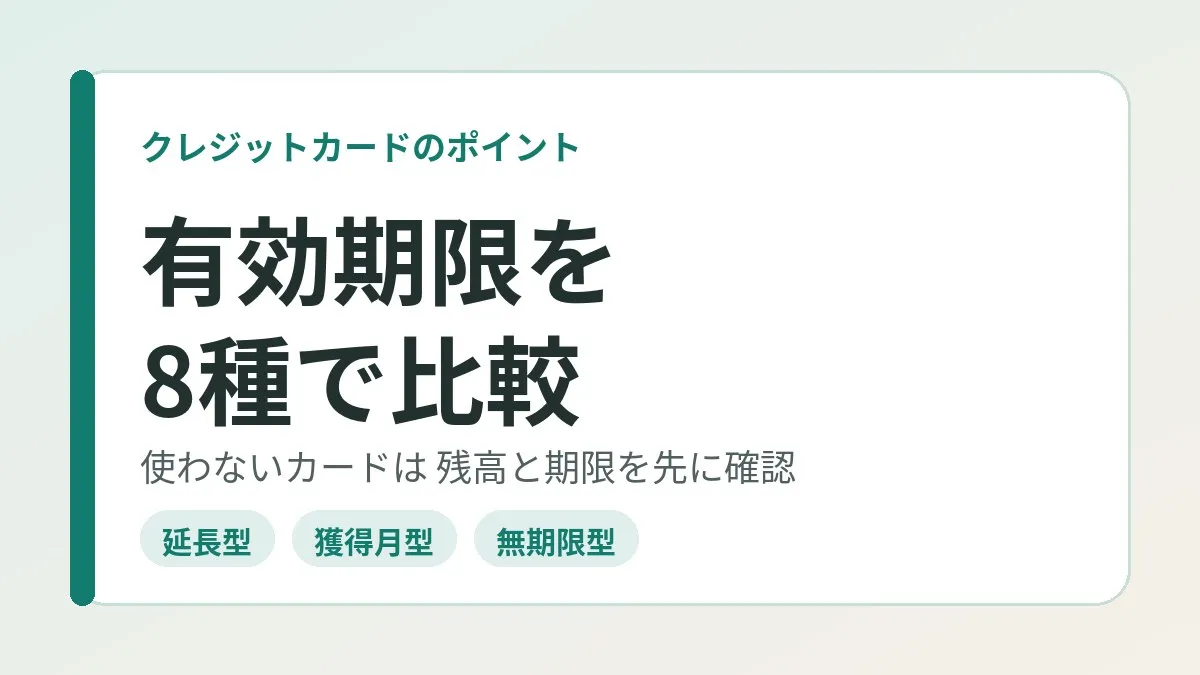
Expiration rules come in three broad types
Looking through the official pages, the ways of setting expiration fell into three types.
| Type | How expiration is set | What happens when you stop using the card |
|---|---|---|
| Extending type | A set period from the last earn or use | The clock runs from the day activity stopped |
| Month-earned type | A set period from the month earned | The oldest points expire first, in order |
| No-expiration type | No expiration date | No expiration arrives, but treatment at cancellation is a separate matter |
With the extending type, expiration effectively never arrives while you are using the card. In exchange, from the moment you drop the card, the entire balance heads toward the same expiration date.
With the month-earned type, the oldest points expire in order even while you use the card. After you drop it, the balance shrinks little by little.
With either type, the point that leaving it alone after consolidation leads to forfeiture is the same. What differs, I think, is “when and how much expires.”
Point expiration for major cards
I put what I could confirm on the official pages into a table. Some vary by card type or tier.
| Points | Expiration rule | Type |
|---|---|---|
| Rakuten Points (regular) | 1 year including the month last earned | Extending type |
| Rakuten Points (limited-time) | Individual expiration for each batch of points | Individual |
| V Point | 1 year from the date of last change | Extending type |
| d POINT (regular) | Until 12 months after the date last used (earned or spent) | Extending type |
| J-POINT (JCB, standard cards) | 2 years from the month earned | Month-earned type |
| Orico Point | Until the end of the month 12 months later | Month-earned type |
| Epos Point | 2 years from the date added | Month-earned type |
| WAON POINT | Up to 2 years, counted from the month first awarded | Month-earned type |
| Eikyufumetsu Points | No expiration date | No-expiration type |
A few additional notes.
JCB’s points changed from “Oki Doki Points” to “J-POINT” in January 2026. The guidance said old points were migrated automatically. The expiration is 2 years for standard cards and 3 years for gold. Higher-tier cards such as platinum are listed at 5 years.
With Epos Points, you can apply for an extension when some points are within 3 months of expiring. Once you apply, the expiration of all points is apparently extended to 24 months later. Gold and platinum members are said to have no expiration.
d POINT used to be “until the end of the month 48 months after the month earned.” According to the Docomo announcement, it was scheduled to change to the current extending type from October 2025. If you still think “I have 4 years” from the old days, you may be off.
V Point has exceptions too. The guidance said that for store-limited points and the like, the expiration is not extended even when you use them.
For the extending type, look at “the last day of activity”
With the extending type, what you should look at is the last day the points moved, rather than the balance.
Rakuten regular points have their expiration extended if you earn even once within the period. However, earning limited-time points was said not to count toward the extension.
Rakuten Points are tied to your Rakuten membership. So even if you drop the card, the expiration keeps extending as long as you earn through other Rakuten services. In other words, points do not necessarily expire just because card usage stopped.
V Point and d POINT also extend with either earning or spending. They can be used at shops around town as common points, so if you have uses other than the card, I think there is little to worry about.
Put the other way, people who earned only through that card seem to need care. The day you consolidated becomes “the last day of activity” as is.
With the month-earned type, the oldest points expire first
With the month-earned type, each batch of points has a different expiration. On member sites, I think “when and how many points will expire” is often listed by month.
JCB’s official help said that points past their expiration are forfeited in order, one month at a time. WAON POINT is a little unusual. One year’s worth of points all reach expiration together at the end of the same month two years later.
If the card you dropped is this type, looking at just the nearest expiration date may be enough. How you act is decided by whether the amount can be redeemed by then.
Clicking this opens the Rakuten login page. Once you log in, you’ll see the campaign details.
What happens to points when you cancel a card
Separately from expiration, I also checked how points are treated when you cancel. I have listed only those with an official statement.
| Card and points | Treatment at cancellation or withdrawal (official statement) |
|---|---|
| Rakuten Card (Rakuten Points) | Can still be used after cancellation as long as you are a Rakuten member |
| AEON Card (WAON POINT) | Forfeited upon withdrawal and can no longer be used |
| Epos Card (Epos Point) | Points cannot be used after withdrawal or expiration |
| Saison Card (Eikyufumetsu Points) | Forfeited upon cancellation. Redemption is not accepted either |
| JCB Card (J-POINT) | Upon withdrawal you lose the right to receive the program’s services |
| Sumitomo Mitsui Card | States that you lose your accumulated points upon cancellation |
Rakuten Points accumulate on the Rakuten membership side, not on the card. So the points are said to remain even if you cancel the card. However, the point card function on the back of the canceled card can no longer be used.
Eikyufumetsu Points, as the name (roughly “everlasting points”) says, have no expiration. Even so, the official page stated that they are forfeited if you cancel. “No expiration” and “remains after cancellation” are separate matters. If you hold multiple eligible Saison cards under the same name, the points are pooled, so they apparently are not forfeited.
For Orico Point and d POINT, I could not fully confirm the treatment at cancellation on the official pages. For these two, I think it is best to look at each company’s guidance directly before canceling.
Sumitomo Mitsui Card’s explanatory page said that even if you have applied for a redemption, the request may be voided by cancellation. The safe order seems to be to cancel after seeing that the redeemed goods or points have arrived.
Where to check points and where to redeem them
The place to see the balance and expiration is almost always the member site or the app. Here is what I could confirm officially.
| Points | Where to check | Examples of uses and redemption options |
|---|---|---|
| Rakuten Points | Point history in Rakuten PointClub | Rakuten services, participating shops around town |
| V Point | V Point site and app, Vpass | Applying to card payments, charging V Point Pay |
| d POINT | Point details and history in d POINT CLUB | Shops around town, online shops, d Barai |
| J-POINT | Point history inquiry in MyJCB, the card statement | Redemption via the member site or by phone |
| Orico Point | eOrico | Other companies’ points, gift certificates |
| Epos Point | Point inquiry in Epos Net, the Epos app | Discounts at Marui, gift certificates, other companies’ points |
| WAON POINT | AEON Pay app, the Kurashi no Money site | Applying to the billed amount, and so on |
| Eikyufumetsu Points | Member site | Redemption for goods or gift cards, applying to payments |
Rakuten regular points are said to have no display of the expiration date itself. You count it yourself from the month last earned. The expiration of limited-time points can be seen on the point history page.
For d POINT, the points expiring within 60 days and within 1 year are apparently each shown in a list. For checking a dropped card, this “within 1 year” section may be handy.
One line to add to your consolidation steps
In the article on moving to a single main card, I described consolidation in three stages: unifying where bills are charged, checking the old card’s statements, and canceling after using up the points.
This article breaks that third one down further. As steps, it looks like this.
- Log in to the member site of the card you are dropping
- Look at the point balance
- If there is a balance, look at the nearest expiration date
- Confirm officially what happens to the points if you cancel
- Decide on one use and apply for the redemption or credit
- Confirm that what you redeemed has arrived or been reflected
- Write the date checked and the result in your consolidation notes
If you cannot log in, you stop at step 1. With a card you have not used for a long time, I think it sometimes starts with resetting the ID or password. So it seems best to do this on the day you drop the card, not the day you decide to cancel.
The check I did in my household
In my household too, I created a task to “use up the point balance” for the card we dropped.
When I checked on the member site, that card had no points accumulated. There was nothing to use up in the first place. I closed the task with just the check.
No problem up to there. But about a month later, I created the same check as a task once more. The result was the same, and it was double work.
The cause was simple. The task had been marked “done,” but nothing remained about what I looked at and what I found. Afterward, I could not tell whether I had “used them up” or “there was nothing there.”
Note the date checked and the result
So I decided to write “the date checked and the result” in the consolidation notes. I think something like this is enough.
- Dropped card: checked the point balance on the member site
- Date checked: (month and day)
- Result: no balance. Nothing to use up
- Next time to look: none (because no new points will accrue)
If there was a balance, add the expiration date and the date you applied for redemption. For extending-type points, also writing “the last day of activity” saves you from recounting the expiration.
At work, too, a result of “looked into it and found nothing” tends to drop out of the records. Leaving “there was nothing” as a result in its own right may help your future self.
What to do about points on cards you keep
You do not necessarily cancel every card you dropped in the consolidation. As I wrote in the article on keeping a card only for automatic debits, some cards stay because of a membership service.
A card you keep may earn a few points from something like a once-a-year charge. With the extending type, that small earn keeps extending the expiration. With the month-earned type, it looks like a small balance will expire bit by bit each year.
Either way, I think the amounts are small. So looking at a kept card just once a year should be enough. Something as light as glancing at the balance while you are checking the statement.
Common mistakes and pitfalls
These are the points I felt were easy to trip over after lining up the official information.
- Assuming that points with “no expiration” will remain even after you cancel
- Not counting the day you dropped the card as “the last day of activity,” even though it is the extending type
- Canceling right after applying for a redemption, so the request is voided
- Having too few points to reach the redemption unit and just leaving them
- Confirming a zero balance but not recording it, and repeating the same check
The one that applied to me was the last. I did not lose any points, but the effort was doubled.
The cancellation procedure itself has a similar pitfall. I also wrote about it in the story of a subscription I thought I had canceled that kept charging me. I think it is important to keep a record of what “done” actually consisted of.
What to check before you start
- I can log in to the member site of the card I am dropping
- Looked at the point balance and the nearest expiration date
- Confirmed on the official page whether it is the extending type or the month-earned type
- Confirmed officially what happens to the points if I cancel
- Looked at the minimum redemption unit and how many days it takes to be reflected
- Decided where to write the date checked and the result
The answers to the third and fourth differ by card company. The contents of the tables can also change, so I think it is reassuring to open the official pages before going through the procedure.
Frequently asked questions
Q. Do points on a card I am not using expire on their own?
Many points have an expiration date, so leaving them alone leads toward forfeiture. With the extending type they expire counting from the last day of activity, and with the month-earned type the oldest expire first. Some, like Eikyufumetsu Points, have no expiration.
Q. What happens to points when I cancel a card?
For AEON Card, Epos Card, and Saison Card, the official pages said points are forfeited upon withdrawal or cancellation. For Rakuten Card, points can reportedly still be used as long as you are a Rakuten member. It differs by card, so I think it is best to check before canceling.
Q. Do Rakuten Points expire if I do not use the card?
The expiration of regular points is 1 year including the month last earned. It is said to extend if you earn even once within the period. If you earn through other Rakuten services, it keeps extending even when you are not using the card.
Q. Can forfeited points be restored?
Rakuten Card’s official help says it does not handle restoring forfeited points. JCB’s rules also stated that points past their expiration are forfeited. It seems best to think on the assumption that they will not come back.
Q. What if my balance is too small to redeem?
Some points have a minimum unit for redemption. There may also be ways to use small amounts, such as applying them to your bill or using them for shopping. If you cannot find a use, it may be better not to force extra shopping.
Q. Where can I check the expiration date?
You can see it on each company’s member site or app. JCB’s guidance said it is also shown on the card statement. Rakuten regular points have no expiration display, so you count from the month last earned.
Q. If the balance is zero, do I need to do anything?
If there is nothing to use up, the work ends there. But I do recommend leaving at least the date checked and the result in a note. I did not, so I did the same check once more about a month later.
Q. What has become of JCB’s Oki Doki Points?
The guidance says they were renewed as J-POINT in January 2026. Old points were apparently migrated automatically. If you remember them by the old name, please check the current display on the member site.
Official sources I referred to
- About point expiration (Rakuten Ichiba Help)
- I want to know about point expiration (Rakuten Card FAQ)
- I want to know what happens to the points I hold if I cancel my card (Rakuten Card FAQ)
- V Point expiration (Sumitomo Mitsui Card)
- Downsides and cautions when canceling a credit card (Sumitomo Mitsui Card)
- Do regular points that are not limited by period or use also expire? (d POINT CLUB)
- Where can I check the expiration of d POINT? (d POINT CLUB)
- Changes to d POINT CLUB services (NTT Docomo press release)
- I want to check the expiration of J-POINT (JCB FAQ)
- How J-POINT works (JCB)
- About the renewal to J-POINT (JCB FAQ)
- J-POINT program terms of use (JCB)
- How to use points earned with a credit card (Orico)
- Do Epos Points expire? (Epos Card FAQ)
- Using Epos Points (Epos Card)
- What is the expiration of WAON POINT? (AEON Card FAQ)
- What happens to my accumulated points if I withdraw from the card? (AEON Card FAQ)
- Eikyufumetsu Points (Saison American Express Card)
- Canceling a card (Saison Card)
Summary
When you move to a single card, points on the dropped cards stop growing. Only the expiration advances, so it seems good to add one line to the consolidation steps: “check the balance and expiration.”
In my household’s case, when I checked, there was no balance. Even so, because I did not record “the date checked and the result,” I did the same check once more.
If you have a card you dropped, why not open its member site just once?
Clicking this opens the Rakuten login page. Once you log in, you’ll see the campaign details.
This article contains affiliate advertising. If you sign up for a product or service through a link on this site, we may receive compensation from the partner company. The site operator is also an employee of Rakuten Group and may receive compensation through an employee referral program. The content and opinions here are based on the operator’s own experience and research regardless of any advertising relationship, but please read with the above in mind. See the Disclaimer & Affiliate Disclosure for details. Disclaimer & Affiliate Disclosure
This article includes machine-translated content. Please check the official Rakuten Mobile multilingual page for exact terms.
If you have concerns about Rakuten Mobile coverage or signal quality, you can consult through the official signal improvement request form .