- 01The ABS Filament I Bought by Mistake
- 02Decide First: Sell or Toss
- 03Mercari’s Selling Fee
- 04Filament Shipping Depends on Box Size
- 05How to Read Sold-Out Prices
- 06Why I Listed It at 1,700 Yen
- 07The Formula for What You Keep
- 08Take-Home by Price
- 09How This Differs from My Rough Estimate
- 10What to Put in the Listing
- 11Moisture and Storage Tips for Filament
- 12Dropping the Price If It Does Not Sell in 2 Weeks
- 13Switching to Jmoty
- 14Mercari vs. Jmoty vs. Throwing It Out
- 15Steps Until Listing
- 16Common Mistakes and Pitfalls
- 17FAQ
- 18Official Sources I Referred To
- 19Summary
Good morning, this is まさきん.
I bought the wrong 3D printer filament. Leaving it unopened on the shelf felt like a waste, so before listing it on Mercari, I worked out the price and how much I would actually keep.
*This reflects information at the time of publication. Please check the official sites for the latest terms.
- For unopened filament, set your price based on Mercari’s sold-out listings
- The selling fee is 10% of the sale price. Shipping a size-60 box with Rakuraku Mercari-bin costs 750 yen
- Selling at 1,700 yen leaves you with about 780 yen
- If it does not sell in 2 weeks, drop to 1,500 yen. If it still does not move, hand it over on Jmoty
- Throwing it away gets you 0 yen. Even counting the effort, selling comes out ahead
The ABS Filament I Bought by Mistake
My 3D printer is a Bambu Lab A1 mini. I bought ABS filament for it.
When I looked it up afterward, ABS turned out not to be recommended for the A1 mini. In the material table on Bambu Lab’s official wiki, ABS is “Not recommended” for open-frame printers, and the A1 mini is named as an example of that type. ABS is a material meant for enclosed printers.
I paid 1,999 yen for it. Since I have no plans to use it, I am letting it go unopened.
I summarized the differences between PLA, PETG, and TPU in what I learned choosing filament. I do wish I had reread that before buying.
Decide First: Sell or Toss
There are roughly three ways to let it go: sell it on Mercari, give it away on Jmoty, or throw it out. That is it.
Throwing it out is easy, but you get 0 yen back. Tossing something unopened and perfectly usable feels a little wrong.
Selling, on the other hand, takes work. You weigh it, take photos, write the listing, then pack and ship it once it sells. Is what you keep worth that effort? I ran the numbers first.
Mercari’s Selling Fee
According to Mercari’s official explainer, the selling fee is 10% of the sale price. It is deducted automatically from your earnings.
There are a few other fees as well.
| Item | Amount | When it applies |
|---|---|---|
| Selling fee | 10% of the sale price | When an item sells |
| Transfer fee | 200 yen per transfer | When you transfer earnings to your bank account |
| Express transfer | 400 yen total | When you want the money faster |
| Pickup fee | 100 yen | When you request pickup with Rakuraku Mercari-bin |
The transfer fee is charged per transfer, not per sale. Converting earnings to Mercari points is said to be free. So for small sales, it seems better to let earnings build up before transferring.
Filament Shipping Depends on Box Size
Filament usually arrives as a spool in a box. If you ship it in that box, it falls into the size classes used by Takkyubin or Yu-Pack.
I checked size-60 and size-80 rates on Mercari’s official pages.
| Shipping method | Size 60 | Size 80 | Weight limit |
|---|---|---|---|
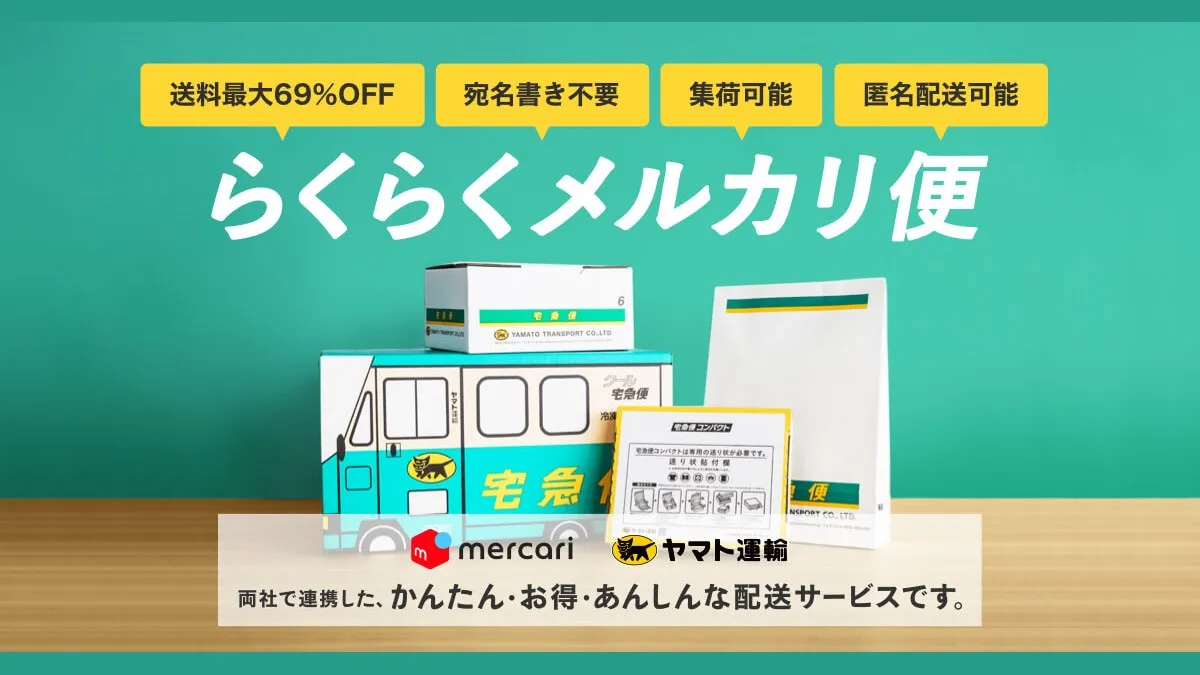
| Rakuraku Mercari-bin (らくらくメルカリ便) (Takkyubin) | 750 yen | 850 yen | Up to 2kg for 60, 5kg for 80 |
| Yuyu Mercari-bin (ゆうゆうメルカリ便) (Yu-Pack) | 750 yen | 870 yen | Up to 25kg |
The Rakuraku Mercari-bin rates are from a Mercari official article. The Yuyu Mercari-bin rates are from Mercari’s help page.
However, another Mercari official article lists size 60 for Yuyu Mercari-bin at 770 yen, described as the rate as of January 2026. That conflicts with the 750 yen on the help page. Checking the rate table on the listing screen before shipping is the surest way.
Size is determined by the total of length, width, and height of the packed parcel. I will measure the box before deciding whether it fits size 60.
How to Read Sold-Out Prices
The price guide is not what items are listed at. It is what they actually sold for.
In Mercari search, you can filter the sale status to Sold out (売り切れ). That shows only items that have already sold.
The trick is to compare like with like.
- Search by manufacturer and material name
- Filter the sale status to Sold out (売り切れ)
- Pick items with the same diameter (such as 1.75mm) and weight
- Check the description to confirm they were unopened
- Check whether shipping was included
- Note down 3-5 sold prices
When I looked, the same product had sold for 1,800 yen. I paid 1,999 yen, so that is close to retail. Maybe there is decent demand for unopened spools.
Why I Listed It at 1,700 Yen
If the going rate is 1,800 yen, I put mine just a bit below. That is how I landed on 1,700 yen.
When identical items are listed side by side, the cheaper one gets looked at first. Knocking off just 100 yen might make mine the one people choose.
On the other hand, cutting too much shrinks what you keep. Shipping is fixed regardless of price, so price cuts hit harder than you might expect. I will look at that in the next calculation.
The Formula for What You Keep
You can work out your take-home amount like this.
- Selling fee = sale price × 10%
- Take-home = sale price − selling fee − shipping
This assumes “shipping included,” with the seller paying for shipping.
If you receive the money by bank transfer, another 200 yen comes off. Bundling it with other earnings in one transfer reduces the cost per item.
Take-Home by Price
I calculated using the size-60 shipping rate of 750 yen.
| Sale price | Selling fee (10%) | Shipping (size 60) | Take-home |
|---|---|---|---|
| 1,800 yen | 180 yen | 750 yen | 870 yen |
| 1,700 yen | 170 yen | 750 yen | 780 yen |
| 1,600 yen | 160 yen | 750 yen | 690 yen |
| 1,500 yen | 150 yen | 750 yen | 600 yen |
If it sells at 1,700 yen, I keep 780 yen. Dropping to 1,500 yen leaves 600 yen.
Requesting pickup with Rakuraku Mercari-bin takes off another 100 yen. Dropping it off at a convenience store avoids that 100 yen.
Let me also check the case where it ends up size 80. With Rakuraku Mercari-bin, shipping is 850 yen. Even selling at 1,700 yen, take-home falls to 680 yen. Definitely measure the box before listing.
How This Differs from My Rough Estimate
When I first thought about listing it, I estimated shipping at about 750-800 yen, since I had not yet confirmed the current rates officially.
On that basis, take-home at 1,700 yen came to about 730-780 yen. In other words, I was roughly expecting “about 700-800 yen.”
This time I confirmed on the official page that size 60 costs 750 yen. So take-home is 780 yen, the upper end of my estimate. Not much of a difference.
That said, one official article lists Yuyu Mercari-bin size 60 at 770 yen. Shipping that way would leave 760 yen. Either way, it is within my estimate.
This assumes I reuse the box it came in. Buying new boxes or cushioning would cut into the take-home by that much.
What to Put in the Listing
Filament buyers look closely at the specs because compatibility with their printer matters. So I plan to include the following.
| Item | Example of what to write |
|---|---|
| Material | ABS |
| Diameter | As shown on the package, such as 1.75mm |
| Weight | Net weight and the weight after packing |
| Condition | Unopened. Whether the vacuum pack is intact |
| Storage | Where and for how long it was stored |
| Purchase date | Approximate month |
| Compatible printers | State clearly that it is for ABS-capable printers |
| Reason for selling | Not recommended for my printer |
I plan to write the compatibility part carefully. ABS may not be recommended for open-frame printers. To keep the buyer from making the same mistake, I want to note that it is a material for enclosed printers.
For photos, I will shoot the front of the package and the side with the specs. A shot that shows the vacuum pack condition would help too. I also plan to include a photo of it on the scale.
Running these numbers, I realize that a few hundred yen here and there really adds up. Similar small gaps may be hiding in your monthly fixed costs too.
Clicking this opens the Rakuten login page. Once you log in, you’ll see the campaign details.
Moisture and Storage Tips for Filament
Filament absorbs moisture. It is worth paying a little attention to how you store it until it sells.
Bambu Lab’s official wiki says filament prints worse once it absorbs moisture. Typical indoor humidity is around 45-65%RH. In a room at about 55%RH, dry filament starts absorbing moisture within roughly 2-12 hours.
The recommended storage is an airtight box with desiccant. ABS is a material that should be dried before use. The wiki lists 75-85°C for 8 hours in a forced-air dryer as a guide.
An unopened vacuum pack should be safer than an opened spool. But a hole in the pack defeats the purpose. Before listing, I will check that the pack is still tightly sealed.
I also touched on storage basics in my post on choosing the A1 mini.
Dropping the Price If It Does Not Sell in 2 Weeks
If it does not sell within 2 weeks of listing, my plan is to drop it to 1,500 yen.
Why 2 weeks? If it is priced near the market rate, people who really want it should see it. If it still does not move, the price is probably off.
Take-home at 1,500 yen is 600 yen, 180 yen less than at 1,700 yen. The price cut is 200 yen, but the fee drops by 20 yen, which narrows the gap.
There are things you can review before cutting the price, too.
- Does the title include the manufacturer, material, diameter, and weight?
- Does the first photo make it clear the item is unopened?
- Have sold-out prices dropped?
Checking these three before cutting the price is not too late.
Switching to Jmoty
If it does not sell even at 1,500 yen, I plan to move it to Jmoty.
Jmoty’s official page says listing and shipping are always free. The basic idea is a local, in-person exchange of goods and money.
There are two payment methods.
| Payment method | Seller fee | How it works |
|---|---|---|
| Cash in person | None | Receive payment directly at the meeting spot |
| Online payment | 5% of the total plus a 150 yen transfer fee | Jmoty holds the payment and releases it after you rate each other |
With cash in person, there is no shipping and no fee. For example, if you hand it over for 1,500 yen, you keep the full 1,500 yen. That can beat Mercari on take-home.
On the other hand, you need time and travel for the handoff. If nobody nearby wants it, there is no deal at all. Demand for 3D printer supplies probably varies by area.
Mercari vs. Jmoty vs. Throwing It Out
Here are the numbers side by side.
| Method | Example price | Take-home | Effort |
|---|---|---|---|
| Mercari (1,700 yen) | 1,700 yen | 780 yen | Photos and shipping |
| Mercari (1,500 yen) | 1,500 yen | 600 yen | Photos and shipping |
| Jmoty (in person) | 1,500 yen | 1,500 yen | Meeting up |
| Throw away | None | 0 yen | Sorting and taking it out |
On take-home alone, Jmoty in person wins. But you cannot predict whether you will find a buyer. Mercari reaches the whole country, so the odds of selling seem higher.
Throwing it out takes little effort but gets you nothing back. How to dispose of the spool and packaging depends on your local rules. Sorting it is not zero effort either.
So I went with Mercari first, then Jmoty.
Steps Until Listing
Here is the plan I have in mind, in order. I have not listed it yet.
- Weigh the package
- Measure the box and check that it fits size 60
- Photograph the vacuum pack and the spec side
- Check sold-out prices once more
- List it at 1,700 yen with shipping included
- After 2 weeks, drop to 1,500 yen if it has not sold
- If it still does not sell, list it on Jmoty
- Once it sells, confirm the shipping method and cost, then send it
I do not know yet whether it will sell. I may write about the result in another post.
Common Mistakes and Pitfalls
Forgetting to subtract shipping. Even if it sells for 1,700 yen, you keep less than half. If you include shipping, calculate your take-home first.
The box ending up one size larger. If what you thought was size 60 is actually size 80, shipping goes up by 100 yen or more. Measuring after packing is the reliable way.
Not stating compatible printers. Some people might try to use ABS on an open-frame printer. To avoid trouble, list which printers it suits.
Calling an opened item unopened. Once the vacuum pack has been opened, it is opened. Being honest about condition helps avoid rating disputes.
Mistaking listing prices for the market rate. Listing prices are also prices that have not sold. Look at sold-out prices.
- Did you check at least 3 sold-out prices for the same item?
- Did you confirm the material, diameter, and weight on the package?
- Did you check that the vacuum pack is intact?
- Did you measure the size and weight of the packed box?
- Did you check the shipping cost on the listing screen?
- Did you calculate take-home after fees and shipping?
- Did you put the price drop date on your calendar?
FAQ
Q. Does filament sell on Mercari?
When I looked, the same product had sold for 1,800 yen. There may be demand for unopened spools. But whether it sells depends on the item and timing. Check the sold-out prices.
Q. How much is Mercari’s selling fee?
Mercari’s official article says it is 10% of the sale price. It is deducted automatically from your earnings when the item sells. If you take the money by bank transfer, there is a separate 200 yen per transfer.
Q. How much does it cost to ship filament?
If you ship it in its box, size 60 at 750 yen is a good guide. I confirmed this with the official Rakuraku Mercari-bin rates. For Yuyu Mercari-bin, sources showed both 750 yen and 770 yen, so check on the listing screen.
Q. How much do I keep if I sell for 1,700 yen?
Shipping as size 60, you keep 780 yen after the 170 yen fee and 750 yen shipping. Pickup can cost 100 yen and a bank transfer 200 yen.
Q. Can you not use ABS on the A1 mini?
I checked the material table on Bambu Lab’s official wiki. For open-frame printers like the A1 mini, ABS is “Not recommended.” For enclosed printers, it is recommended.
Q. Can I sell opened filament too?
You can probably list it. But it may have absorbed moisture. It is safer to clearly state that it is opened and describe how it was stored.
Q. Does Jmoty charge fees?
The official page says listing and shipping are free. If you use online payment, the seller pays 5% of the total plus a 150 yen transfer fee. Cash in person has no fee.
Q. If it does not sell, is throwing it out the only option?
Even if it does not sell on Mercari, you can give it to someone local on Jmoty. If that does not work either, dispose of it. Check your local rules for how to throw it out.
Official Sources I Referred To
- About Mercari fees (Mercari Biyori)
- Rakuraku Mercari-bin (Mercari)
- Mercari shipping rates list (Mercari Biyori)
- Medium to large sizes - Yu-Pack (Yuyu Mercari-bin) (Mercari Help Center)
- How to use Jmoty (Jmoty)
- User guide: payment methods (Jmoty)
- Filament Guide Material Table (Bambu Lab Wiki)
- Dry Filament (Bambu Lab Wiki)
Summary
Even filament I bought by mistake should bring back about 780 yen once you run the numbers. Throwing it out gets you 0 yen, so selling seems worth the effort.
I will start by weighing and photographing it, then list it at 1,700 yen. If it does not move in 2 weeks, I drop the price; if that fails, Jmoty. Deciding this upfront should cut down on time spent dithering.
Turning unused things back into money little by little makes you notice your monthly spending too. While you are calculating take-home, take a quick look at your phone bill as well.
Clicking this opens the Rakuten login page. Once you log in, you’ll see the campaign details.
This article contains affiliate advertising. If you sign up for a product or service through a link on this site, we may receive compensation from the partner company. The site operator is also an employee of Rakuten Group and may receive compensation through an employee referral program. The content and opinions here are based on the operator’s own experience and research regardless of any advertising relationship, but please read with the above in mind. See the Disclaimer & Affiliate Disclosure for details. Disclaimer & Affiliate Disclosure
This article includes machine-translated content. Please check the official Rakuten Mobile multilingual page for exact terms.
If you have concerns about Rakuten Mobile coverage or signal quality, you can consult through the official signal improvement request form .