- 01Our household tasks run on Notion and AI
- 02The rule: “add an icon”
- 03I counted, and half had no icon
- 04Counting was the hard part
- 05The fix: an “entry point” plus a “safety net”
- 06The rule for making it mandatory at the entry point
- 07Designing the morning safety net
- 08Applied to three scheduled jobs
- 09Remaining issue: the rule now lives in two places
- 10What I learned about rules and AI
- 11Common mistakes and pitfalls
- 12Things to check before you start
- 13FAQ
- 14Official references
- 15Summary
Good morning, this is まさきん.
I recently ran into a slightly shocking number in our family’s task management. A rule I had written into our guidelines was, in reality, only being followed about half the time. This post records how I counted it and how I fixed it.
*This information is current as of publication. Please check the official sites for the latest details.
- About a month ago, I wrote “give every task an emoji icon” into our guidelines
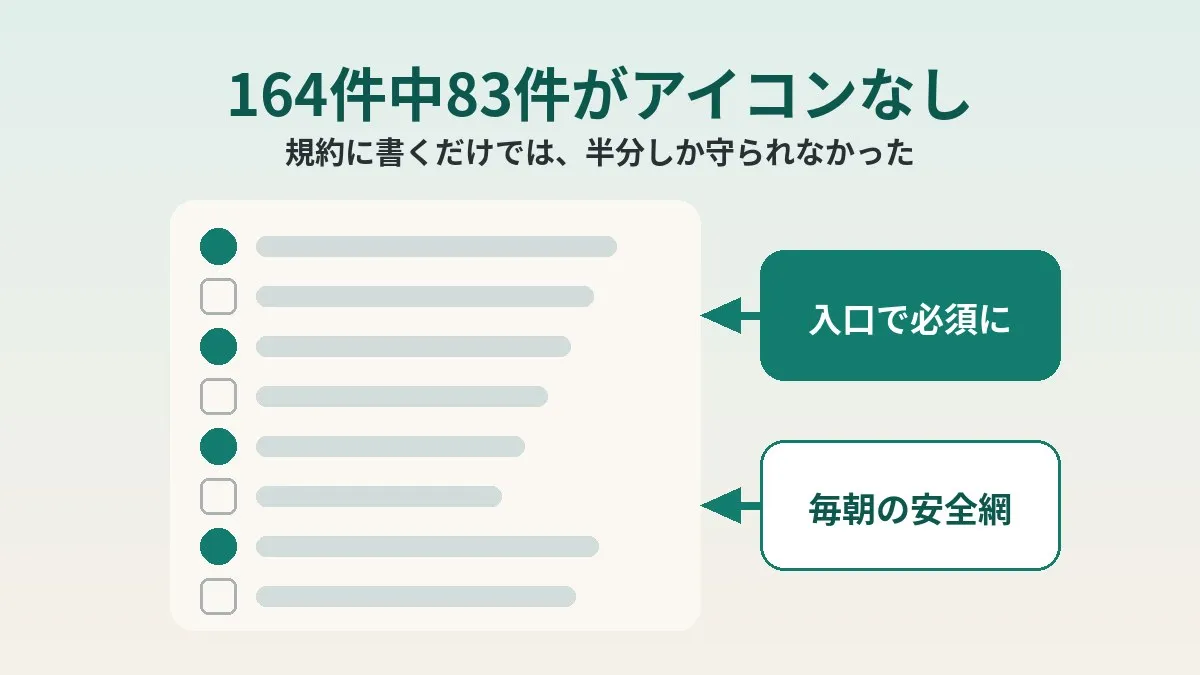
- When I counted all open tasks, 83 out of 164 had no icon
- The gap was in the path where AI creates tasks automatically
- The fix is two-layered: “make it mandatory at the entry point” plus “a morning safety net that picks up a few at a time”
- The harder an attribute is to check, the longer it stays unknown whether the rule is being followed
Our household tasks run on Notion and AI
We manage our household tasks in a Notion database. With four kids, small to-dos pop up constantly. If we did not collect them in one place, things would simply fall apart.
What is a bit unusual is that I do not create most of the tasks by hand. Scheduled AI jobs create them automatically every morning and every night. Scheduled jobs also handle the regular cleanup (task inventory).
I wrote about the morning information setup in my post on the morning briefing. The nightly household budget check is covered in my post on automatic card spending reviews. This time, the story is about the task creation that runs behind those systems.
The rule: “add an icon”
About a month ago, I added one line to our operating rules document: “Give every task an emoji icon that matches its content.”
The reason was simple: it makes the list easier to scan. Is it shopping, school, or money? With an icon, you catch it before you even read the text.
The scheduled AI jobs were supposed to read this document before doing their work. So I assumed the rule would be followed from the moment I wrote it.
I counted, and half had no icon
One day, out of curiosity, I counted. Every single open task.
The result: 83 out of 164 tasks had no icon. Almost exactly half. That was about one month after writing the rule.
Honestly, I thought compliance would be better. Looking at the list, I never felt that half of them were missing something. Maybe the more familiar a screen is, the harder it is to notice what is missing.
The gap was in the automatic task creation path
As I dug into the details, the pattern was clear. The tasks without icons were concentrated among the ones created automatically.
In other words, the rule existed as a document. But it was not built into the process that actually creates the tasks. There was no guarantee that the AI would remember that one line every single time.
I think the same happens with people. Even if it is in the manual, it gets skipped on busy days. What you write down and what actually gets done are two different things.
Counting was the hard part
The part that took the most effort this time was, surprisingly, the counting itself.
A Notion database can be queried in several ways. You can look at a list through a view, or run SQL-like queries. There is also a way to fetch rows in bulk. However, none of the methods I tried returned whether a page had an icon.
In the end, I fetched all 164 tasks one by one as individual pages to check. It took a lot of effort. It also ate up quite a bit of AI usage.
| Method | Icon status | My impression |
|---|---|---|
| Query via a view | Not returned | Visual checks miss things |
| SQL-like query | Not returned | Cannot be used as a filter either |
| Bulk row fetch | Not returned | You at least get the count |
| Fetch each page individually | Available | Reliable but heavy |
This applies to the query paths I use. It may differ depending on your environment or tools.
Still, I felt the lesson was a big one: “Nobody knows whether an attribute that is hard to count is actually being followed.”
I added icons to the 83 tasks on the spot
While I was at it, I added icons to all 83 tasks right then and there, choosing an emoji that fit each task’s content.
But that only fixed what already existed. As soon as the automatic task creation runs again tomorrow, the same gap will start growing. What really needed fixing was the entry point where the gap was being created.
The fix: an “entry point” plus a “safety net”
After thinking it over, I made the fix two-layered.
| Measure | Where it works | What it does |
|---|---|---|
| Make it mandatory at the entry point | The moment a task is created | Pass the icon in the same call that creates the task |
| Catch it with a safety net | The morning task inventory | Fix up to 25 icon-less tasks per run |
I felt that either one alone would not be enough. With only the entry point, things would leak again whenever I add a new job. With only the safety net, the pile of things to fix every day would keep growing.
In factory quality control, people often talk about preventing mistakes through mechanisms rather than warnings, the idea known as poka-yoke (mistake-proofing). This two-layered fix may be close to that way of thinking.
The rule for making it mandatory at the entry point
The first layer is a rule for whatever creates tasks. I settled on this wording:
“Every process that creates a task passes the icon in the same call that creates it.”
The key is the phrase “in the same call.” If you add the icon afterward, that second step is what gets skipped. If it is done in one step, there is no gap for it to slip through.
The Notion API lets you specify an icon when creating a page. I confirmed in the official reference that you can pass icon at creation time. So technically, it can be done in a single step.
If unsure, a default emoji is fine
I also added an escape hatch for when the AI is unsure. I set a default emoji for each category, and said that using it is fine when in doubt.
Not leaving it blank takes priority over picking the perfect emoji. If it hunts for the one ideal icon, the AI might hesitate and end up adding nothing. I thought it was better to lower the bar and make sure the field always gets filled.
Designing the morning safety net
The second layer is a safety net that catches whatever slips through. I added one check item to the automatic morning task inventory.
- Look at two views: “Do today” and “Can do today”
- Find tasks without icons in those views
- Add icons that fit the content, up to 25 per run
- Leave the rest for the following mornings
It does not look at every task. I already know how heavy it is to fetch 164 tasks one by one. Doing that every morning is not realistic, in my view.
Don’t make it remember “how far it got”
One thing I hesitated over was progress tracking. If I wanted to, I could build a mechanism that saves how far the last run got.
But I decided not to. “Do today” and “Can do today” are views whose contents change every day. If both are checked daily, the fixes should eventually reach every task.
A mechanism that keeps state can break through that very state. The storage might disappear, or a run might stop halfway. Isn’t a stateless safety net the kind you can leave alone for a long time?
Why there is a cap
The cap of 25 per run has a purpose too. Even if a large number slip through for some reason, it keeps the morning job from ballooning.
Automated jobs tend to run wild without a brake. With a cap, the worst case is 25 tasks’ worth of work. Whatever it cannot catch can wait until the next morning; I decided that is fine.
Applied to three scheduled jobs
I added this rule to the three scheduled jobs that create tasks.
| Scheduled job | Time of day | What was added |
|---|---|---|
| Task inventory | Late night to early morning | Mandatory at creation plus the morning safety net |
| Reminder import | Morning | Mandatory at creation |
| Email triage | Evening | Mandatory at creation |
Properly, I should have edited the main instruction manual for each job. But there were reasons I could not edit those manuals on the spot. So I appended the rule as an “exception clause” on the side of each job’s prompt.
Remaining issue: the rule now lives in two places
This approach has a clear weakness. The same rule now exists in two places.
If only one of the manual or the prompt gets updated, they will contradict each other. Later on, it might become unclear which one is correct.
In fact, I have been burned by something similar before. I once wrote something into a spec, but it never made it into the implementation. That time, it stayed broken for 2 days before I noticed.
I also wrote about records drifting away from reality in my post about a subscription marked as canceled. When something is written in two places, I think drift happens quietly. I plan to consolidate it into one place once I can edit the manuals.
Where a hole still remains
One more thing, to be honest. The task-creation script running on my Mac at home does not have the mandatory line yet.
For now, the plan is that the morning safety net catches those within 24 hours. But the safety net only looks at two views. Tasks that do not show up there may take a bit longer.
Even with the entry point plus safety net, part of the entry point is still open. The safety net is strictly positioned as the last catch basin.
What I learned about rules and AI
This experience showed me what to watch out for when giving rules to AI and automation.
- A rule written in a document is only followed once it is built into the process
- If an attribute cannot be checked, you cannot know whether it is being followed
- “Add it when creating” leaks less than “add it later”
- A standard that always gets filled beats a standard that demands perfection
- Stateless checks are harder to break and easier to keep running
All of these may be common sense at work. But once it is a home system, we suddenly get sloppy. Since only I look at it, there is never a chance to verify.
I previously wrote about the time I missed school notices. That time, too, the cause was an assumption made by the person who built the system. I feel it is important not to stop at building it, but to count at least once.
Not “it is followed because I wrote it” but “it is followed because I built it into a mechanism.” I think this mindset works directly for household fixed costs too. For example, once you rework your phone plan, the savings keep applying to every monthly bill.
Clicking this opens the Rakuten login page. Once you log in, you’ll see the campaign details.
Common mistakes and pitfalls
Combining my experience with general wisdom, these seem to be the likely pitfalls.
- Feeling the rule is followed the moment it is written down
- Not checking whether the same rule applies to both human-created and AI-created tasks
- Leaving attributes that are hard to count uncounted
- Looking only at the number of fixes and not fixing the entry point
- Making the safety net check everything, so the job gets too heavy
- Writing the rule in two places and updating only one
At least the first and the last applied to me. If any of these sound familiar, it might be worth counting once.
Things to check before you start
- Narrowed it down to one rule you want enforced
- Confirmed a way to count whether that rule is being followed
- Listed every process that creates tasks automatically
- Checked whether the attribute can be passed in the same step as creation
- Decided on a default value for when in doubt
- Considered whether the rule can live in a single place
FAQ
Q. Why are you so particular about icons?
It is less about the icons themselves and more that they made an easy marker for measuring whether the rules are followed. Whether one is there or not is visually obvious. I figured the same thing might be happening with other rules too.
Q. Can you add an icon at creation time with the Notion API?
The official reference says you can specify icon at the time of page creation. Besides emoji, it seems you can also choose external images and so on. You can also add one afterward by updating the page.
Q. Is there a way to count icon-less tasks in bulk?
With the views and SQL-like queries I tried, icon status was not returned. The bulk row fetch was the same. In the end, I checked by fetching each page individually. Whether other methods exist is something to check in your own environment.
Q. Why not have the safety net check everything every day?
Checking every task one by one takes a lot of effort and AI usage. The idea is that picking up a capped number from two views checked daily will eventually cover everything. Heavy checks tend not to last, in my experience.
Q. Isn’t it risky not to save “how far the last run got”?
A mechanism that saves progress also becomes one more place that can break. I figured that if the job looks at views whose contents change daily, there is no need to remember anything. I accept that eventually reaching every task is good enough.
Q. How do you plan to resolve the rule living in two places?
I plan to consolidate it into the main manuals once I can edit them. Until then, I will be careful that it does not contradict the exception clauses in the prompts. I once had a spec and implementation drift apart and leak for 2 days, so I want to proceed carefully.
Q. Does the same idea work when people create tasks?
I think so. Putting an icon into a template from the start is exactly the “make it mandatory at the entry point” idea. For people too, having it attached at creation probably leaks less than adding it later.
Official references
- Create a page (Notion API reference)
- Page (Notion API reference)
- Emoji and icon (Notion API reference)
Summary
The rule I wrote down was only followed about half the time after a month. I only found out after counting 164 tasks.
I made the fix two-layered: making it mandatory at the entry point, and a morning safety net that picks up a few at a time. The safety net keeps no state and picks up a capped number from views checked every day. The rule living in two places and the hole on my home Mac are still open.
It is not a perfect system. But I think I have moved one step beyond “done once it is written.” If you have something automated, why not try counting it just once?
Clicking this opens the Rakuten login page. Once you log in, you’ll see the campaign details.
This article contains affiliate advertising. If you sign up for a product or service through a link on this site, we may receive compensation from the partner company. The site operator is also an employee of Rakuten Group and may receive compensation through an employee referral program. The content and opinions here are based on the operator’s own experience and research regardless of any advertising relationship, but please read with the above in mind. See the Disclaimer & Affiliate Disclosure for details. Disclaimer & Affiliate Disclosure
This article includes machine-translated content. Please check the official Rakuten Mobile multilingual page for exact terms.
If you have concerns about Rakuten Mobile coverage or signal quality, you can consult through the official signal improvement request form .