- 01I Could Not Find October’s Charge
- 023 Reasons Your Budget Gets Out of Sync
- 03Claude Changes Your Billing Date When You Upgrade
- 04Billing Dates for Other AI Services
- 05When a Dollar Charge Becomes Yen
- 06Card Transaction Date, Closing Date, and Billing Month
- 07Why Budgeting Apps Lag Behind
- 08Use the Receipt Email to Decide the Month
- 09Rules for Managing It as a Fixed Cost
- 10Checkpoints for the Month You Change Plans
- 11Common Mistakes and Pitfalls
- 12FAQ
- 13Official Sources I Referred To
- 14Summary
Good morning, this is まさきん.
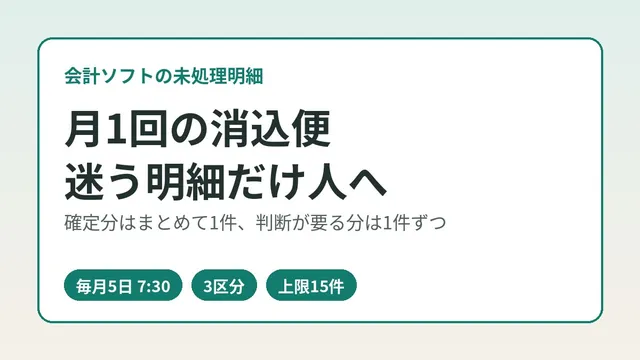
Every month I lock in what I pay for AI services as part of our household fixed costs. But in October, a charge I expected was nowhere on my statement. The cause turned out to be a plan change that had moved my billing date. Others may trip over the same thing, so here is how it works and how I handle it in my budget.
*This reflects information at the time of publication. Please check the official sites for the latest terms.
- With Claude, upgrading to a higher plan mid-month resets your billing cycle. The day you upgrade becomes your new billing date
- Dollar charges are converted to yen at the rate when the data reaches the card company, not the exchange rate on the day you were charged
- Card statements and budgeting apps lag by a few days. For overseas and online merchants, the billing month can shift too
- Use the date on the service’s receipt email as the source of truth for which month a charge belongs to. Finalize the yen amount once it shows up on your statement
- If in doubt, a two-step approach of “decide the month by billing date, fill in the yen amount later” may keep things tidy
I Could Not Find October’s Charge
Every month I finalize the fixed-cost portion of our household budget. Claude, the AI service, is one of those fixed costs.
For October, I went looking assuming it “should be posted around 10/10.” But there was no Claude charge anywhere near that date.
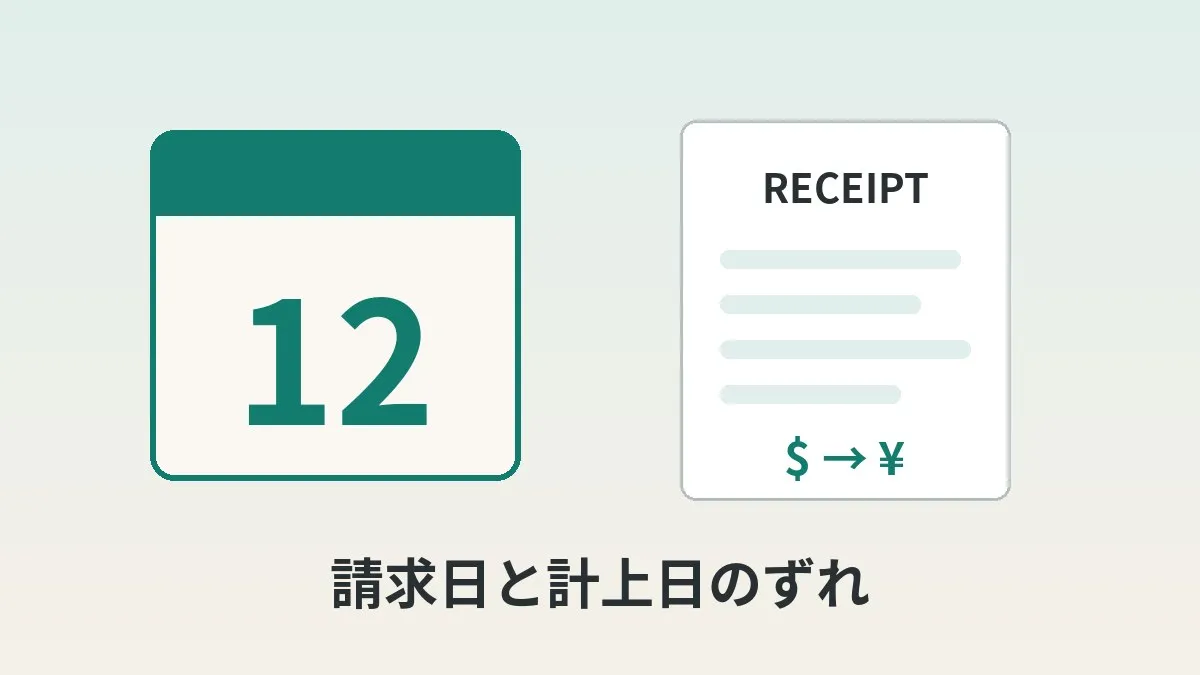
When I dug in, the reason was simple. I had upgraded to Max 20x on 9/12, which moved my billing date to the 12th of each month. October’s 220 dollars was billed on 10/12. No wonder there was nothing around 10/10.
There was another factor on the budgeting side. freee, which I use for household bookkeeping, had only synced transactions up to 10/5. So I could not confirm it from the statement data.
What finally gave me the answer was Anthropic’s receipt email in Gmail. That is where I pinned down the billing date and amount.
3 Reasons Your Budget Gets Out of Sync
Breaking down this mismatch, I think the causes fall into three groups.
| Reason | What shifts | Where to check |
|---|---|---|
| The billing date changed | The service’s billing date | Receipt email or billing screen |
| Yen conversion of dollar charges | Yen amount and posting date | Card statement |
| Statement and sync delays | The day it shows in your budgeting app | Last sync date in the app |
Any one of these on its own may be easy to notice. But when they stack up, it becomes hard to tell where the charge went missing. That was exactly my situation this time.
Claude Changes Your Billing Date When You Upgrade
Anthropic’s help center has a page explaining how to read your invoices. It describes what happens when you upgrade mid-month.
Here are the key points.
- Upgrading mid-month resets the billing cycle
- An invoice is issued immediately, without waiting for the next renewal
- You are charged one month of the new plan minus the unused portion of the old plan
- At the next renewal, you are charged the full price of the new plan
In other words, the upgrade date becomes the starting point for your new billing date. I upgraded on 9/12, so from then on my billing date is the 12th of every month.
Sometimes the unused portion of the old plan is larger than the new plan’s price. In that case, the difference stays on your account as credit and is applied automatically to future bills.
You Cannot Change the Billing Date Directly
The same help center’s “Paid plan billing FAQs” says there is no way to change your billing date directly. If you want a different date, the guidance is to cancel and resubscribe on the day you want.
So the billing date is not something you choose. It is better to think of it as something that moves when you upgrade or resubscribe.
Max Is Monthly Only
On the Max pricing page, Max 5x is 100 dollars a month and Max 20x is 200 dollars a month. Payment is monthly only. These are the prices when you sign up on the web, and they may differ if you subscribe through an app.
If you subscribed through an app store, the store is the one billing you. Receipts do not come from Anthropic; the store handles them.
Billing Dates for Other AI Services
Here are other AI services, as far as I could confirm from their official help pages.
| Service | How the billing date is set | When upgrading | Changing the billing date |
|---|---|---|---|
| Claude (Pro, Max) | Renews from the day you subscribed | Billing cycle resets and you are charged immediately | Not directly. Cancel and resubscribe |
| ChatGPT | Billed monthly on the day you subscribed | Not stated on the official help page I checked | Not possible |
ChatGPT’s help explains that billing recurs on the day you subscribed. For example, subscribe on the 12th and you are billed on the 12th each month. The billing date cannot be changed.
Whether upgrading changes the billing date was not mentioned on the page I checked. So after upgrading, checking the date on the billing screen or receipt is the surest approach.
When a Dollar Charge Becomes Yen
Dollar-denominated subscriptions are converted to yen by the card company. What you want to know here is which point in time the exchange rate comes from.
Rakuten Card’s FAQ explains it like this.
| Card network | When the conversion rate is set |
|---|---|
| Visa, Mastercard | When the transaction data is settled at each network’s clearing center |
| JCB | When JCB receives the transaction data and processes payment to the merchant |
| American Express | Based on the interbank rate on the day before the data was received |
For overseas use, a set fee is added on top of this rate. Rakuten Card’s overseas processing fee is 3.63% (tax included) from March 1, 2025. To see how dollar-denominated online payments are treated, checking your statement is the surest way.
There is one more important point. For overseas use, the “transaction date” is the day the data reached the card network. So it may differ from the date and amount on your receipt.
Card Transaction Date, Closing Date, and Billing Month
Next, the card side of the schedule. Let me use Rakuten Card as an example.
| Item | Rakuten Card’s official guidance |
|---|---|
| Closing date | End of each month (25th for Rakuten Ichiba, Rakuten Pay, and Rakuten Travel) |
| Payment date | 27th of the following month (next business day if the bank is closed) |
| Billing amount update | Around the 12th of each month in Rakuten e-NAVI |
| Examples where the billing month shifts later | Subscriptions, and some overseas and online merchants |
The last row caught my eye. Depending on when the transaction data arrives, the billing month may be two or more months later instead of the following month. Overseas and online merchants are given as examples.
Dollar-denominated AI service charges seem to fit this condition exactly. So “billed at the end of the month, therefore debited next month” may not always hold.
Which month should a fixed cost count toward: the month the card is debited, or the month of the service’s billing date? If you do not decide this first, your numbers will wobble every month.
Why Budgeting Apps Lag Behind
Budgeting apps pull in and display your card company’s statement data. So anything not yet on your card statement will not appear in the app either.
On top of that, importing itself takes time. freee’s help mentions that the first sync after registering an account can take anywhere from a few hours up to about 24 hours.
Rakuten Card’s FAQ also says it may take time for charges to appear on your statement.
In order, it looks like this.
- The service bills you (the receipt email arrives)
- The transaction data reaches the card company
- It appears on your card statement
- Your budgeting app imports the statement
A few days of lag can build up between steps 1 and 4. In my case, at step 4 I could only see transactions up to 10/5. In a sense, it was natural that the 10/12 charge was not there.
I also wrote about handling statement delays in how to see your Rakuten Card spending before the statement is finalized. The idea of splitting emails and statements by period and adding them up applied here too.
Use the Receipt Email to Decide the Month
Where I ended up this time is a simple rule: the receipt email decides the month.
Anthropic’s help says an invoice is emailed automatically every time you are billed. The subject line is “Your receipt from Anthropic.” You can also view invoices in the invoices section under Billing in Settings.
The receipt shows the billing date and dollar amount. It arrives before the card statement and carries the service’s own date. So I think it is the most stable basis for deciding the month.
The yen amount, on the other hand, is not set until it appears on your card statement. Splitting it into two steps seems to work well.
- Search Gmail for “Your receipt from Anthropic”
- Open the latest receipt and note the billing date and dollar amount
- Use the billing date to decide which month’s fixed costs it belongs to
- Add a provisional line in your budget with the dollar amount
- Once the yen amount appears on your card statement and in your budgeting app, finalize it at that amount
In my case, step 2 showed 10/12 and 220 dollars. I am now waiting on step 5. In a few days, I will check the yen amount in my budgeting app and finalize October’s fixed costs.
Rules for Managing It as a Fixed Cost
With dollar-denominated subscriptions, the yen amount moves a little every month. If you treat it as a fixed-cost line, it helps to set rules up front.
Here are the four things I want to decide.
| What to decide | Example options |
|---|---|
| Which month counts as the expense | Month of the service’s billing date / month of the card debit |
| Budget amount | Monthly dollar price × assumed rate / average yen amount over recent months |
| When to finalize | The day the receipt arrives / the day the yen amount appears on the statement |
| What to do when it is off | Adjust the difference next month / record that month as over budget |
I do not think there is one right answer. What matters is using the same rule every month.
Personally, I would go with the month of the billing date, and the yen amount as it appears on the statement. Only when setting the budget would I estimate by multiplying the dollar price by a rate with some margin.
I covered plan pricing and whether to keep subscribing in choosing between Claude Max 20x, 5x, and Pro by weekly usage.
Reviewing AI service subscriptions made me realize that my phone bill is the same kind of monthly fixed cost. It may be an expense that is large yet rarely reviewed.
Clicking this opens the Rakuten login page. Once you log in, you’ll see the campaign details.
Checkpoints for the Month You Change Plans
The month you upgrade is when mismatches are most likely. You are billed on the upgrade day, and from the next month that day becomes your billing date.
So for the month you change plans, it is reassuring to check the following.
- Did an invoice for the prorated difference arrive by email on the upgrade day?
- Which month’s card statement will that charge land on?
- What day is your billing date from the next month onward?
- Did you update the “every month on day X” entry in your budget?
Step 4 is easy to overlook, I think. I had not updated the “around the 10th” in my head either. That is why I stumbled when checking October.
If a charge crosses your card’s closing date, the debit month changes too. I covered the relationship between closing dates and debit months in detail in switching subscriptions to annual billing and the debit month. The same logic applies to monthly billing.
Common Mistakes and Pitfalls
Remembering the Billing Date as “Around the Xth”
Changing plans moves your billing date. The date you remember may go stale with every plan change.
Assuming “Not in My Budgeting App” Means “Not Charged”
Sometimes the sync just has not caught up. It is best to check the last sync date first.
Matching the Receipt’s Dollar Amount to the Statement’s Yen Amount
The yen amount depends on the conversion rate and fees. Matching by date and service name, rather than amount, is less error-prone.
Treating the Prorated Charge as the Monthly Price
The charge on the upgrade day is a one-time amount after subtracting the unused portion. If you budget it as the monthly price, it will not match the full price from the next month.
Looking for Anthropic’s Email When You Subscribed Through an App
If you subscribed through an app store, your receipts are with the store. Checking how you subscribed first saves confusion.
- Checked the current billing date of each AI service on its receipt
- Know the date of your most recent plan change
- Checked your card’s closing date and payment date
- Looked at the last sync date in your budgeting app
- Decided which month fixed costs go into
- Decided the assumed exchange rate for your dollar budget
FAQ
Q. Does upgrading my Claude plan change my billing date?
Yes. The official help says upgrading mid-month resets the billing cycle. An invoice is issued on the upgrade day, and that day becomes the new starting point.
Q. Can I move my Claude billing date back to the original day?
There is said to be no way to change it directly. The official help suggests canceling and resubscribing on the day you want. Weigh it against the hassle.
Q. At what rate are dollar subscriptions converted to yen?
Not the rate on the transaction day. With Rakuten Card, a fee is added to the rate at a point such as when the data reaches the card network. Checking the yen amount on your card statement is the surest way.
Q. Why is the transaction date on my card statement different from the receipt date?
For overseas use, the transaction date is the day the data reached the card network. Rakuten Card’s FAQ also notes the date may differ from your receipt.
Q. My AI service charge is not showing up in my budgeting app.
First, check the last sync date in your budgeting app. The sync may simply not have caught up. In the meantime, you can confirm the billing date and amount in the receipt email.
Q. Should I record fixed costs by card debit month or by billing date month?
Either is fine. What matters is using the same rule every month. Dollar charges tend to shift billing months, so personally I find the billing date month less confusing.
Q. Why is the bill for my upgrade month an odd amount?
Because you are charged one month of the new plan minus the unused portion of the old plan. From the next renewal, you pay the full price. Recording that month separately helps avoid confusion.
Official Sources I Referred To
- Understanding your Pro or Max plan invoices (Claude Help Center)
- Paid plan billing FAQs (Claude Help Center)
- How much does the Max plan cost? (Claude Help Center)
- Invoice dates for ChatGPT and API billing (OpenAI Help Center)
- How foreign currency card purchases abroad are converted to yen (Rakuten Card FAQ)
- About conversion rates and overseas processing fees (Rakuten Card FAQ)
- When the transaction date or amount differs for card use abroad (Rakuten Card FAQ)
- Conversion rates and fees for card purchases abroad (Rakuten Card)
- About the change to the overseas processing fee (Rakuten Card)
- Monthly closing and payment dates for card use (Rakuten Card FAQ)
- How to check this month’s payment amount (Rakuten Card FAQ)
- How to check card statements and billing amounts online (Rakuten Card FAQ)
- Setting up account linking (sync) (freee Help Center)
Summary
When you cannot find an AI subscription charge in your budget, there may be more than one cause. Did the billing date move? Did conversion shift the date? Or is the sync just behind? Go through them in order, and you will usually find it somewhere.
In my case, the cause was a plan change that moved my billing date to the 12th. Decide the month by the receipt email, then wait for the statement to finalize the yen amount. Splitting it into those two steps may make the monthly check a little easier.
As you tidy up fixed costs one by one, the shape of your monthly spending comes into view. And the biggest item among them is probably your phone bill. While reviewing AI subscriptions, take a quick look at what you pay for your phone too.
Clicking this opens the Rakuten login page. Once you log in, you’ll see the campaign details.
This article contains affiliate advertising. If you sign up for a product or service through a link on this site, we may receive compensation from the partner company. The site operator is also an employee of Rakuten Group and may receive compensation through an employee referral program. The content and opinions here are based on the operator’s own experience and research regardless of any advertising relationship, but please read with the above in mind. See the Disclaimer & Affiliate Disclosure for details. Disclaimer & Affiliate Disclosure
This article includes machine-translated content. Please check the official Rakuten Mobile multilingual page for exact terms.
If you have concerns about Rakuten Mobile coverage or signal quality, you can consult through the official signal improvement request form .