- 01Transcription mishears the numbers in prices
- 02Model size comparison (figures from the official README)
- 03What is different about faster-whisper
- 04What initial_prompt and condition_on_previous_text mean
- 05When I passed a prompt, the prompt itself was repeated
- 06Silent sections can be removed with vad_filter
- 07What the official sources say about Japanese accuracy
- 08Choosing by use case
- 09Steps for checking just the prices
- 10Common mistakes and pitfalls
- 11What to check before you start
- 12Keeping the right distance when using transcription for budget decisions
- 13Frequently asked questions
- 14Official sources I referred to
- 15Summary
Good morning, this is まさきん.
I recorded a trial-lesson briefing for an after-school activity and transcribed it with Whisper. The text read plausibly, but the numbers in the prices alone were wrong. I think this matters to anyone who uses recordings as input for household budget decisions, so I am sorting it out here alongside the official information.
*This information is current as of the time of publication. Please check the official sites for the latest terms.
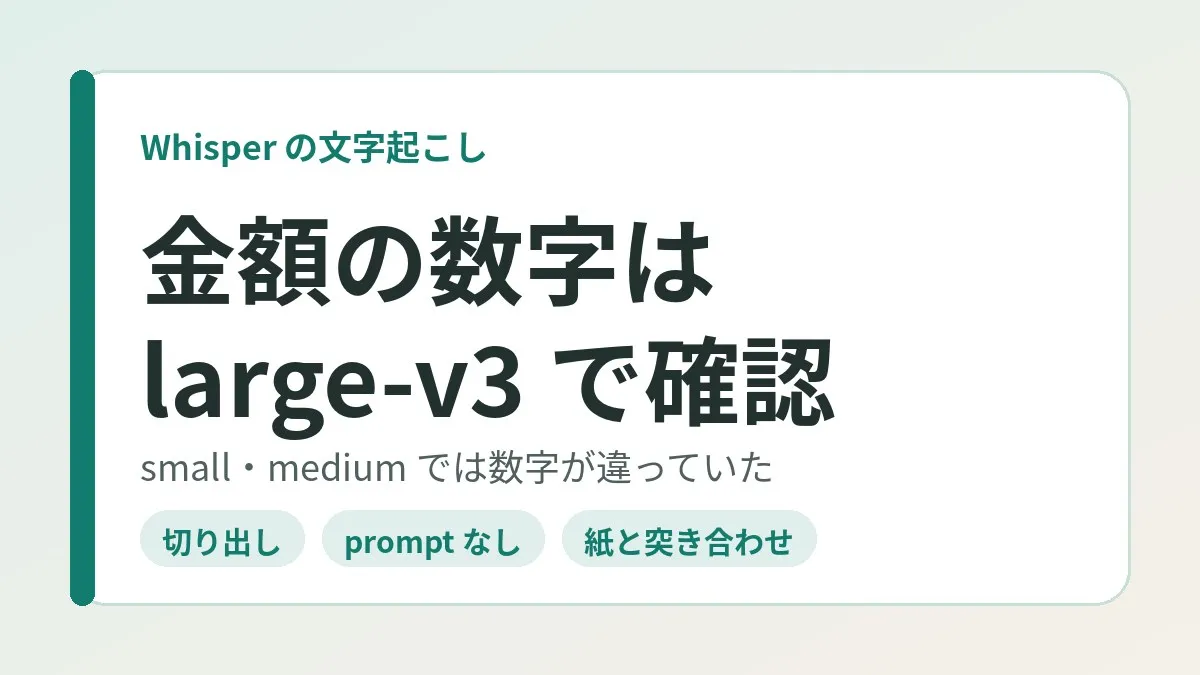
- When I transcribed an 11-minute or so recording of a briefing with faster-whisper, every price was wrong with small
- With medium the fee numbers were still different numbers, and they finally matched the flyer with large-v3
- When I put a hint in initial_prompt, the prompt itself was output repeatedly in quiet stretches
- For checking prices, I think the safe approach is to cut out just the relevant part and run it through large-v3
- As a baseline, use no prompt and condition_on_previous_text=False, and check against paper at the end
Transcription mishears the numbers in prices
I recorded about 11 minutes of a trial-lesson briefing for a certain activity. I wanted to compare the monthly fee and so on calmly later.
I used faster-whisper for the transcription. The text that came out reads naturally as a flow of conversation. But when I put it next to the flyer that was handed out, the prices did not match.
For example, the thousands digit of a monthly fee in the several-thousand-yen range had become a different number. The sentence holds together, so I do not think I would have noticed without the flyer.
The numbers were wrong with small and medium
The first model I used was small. The numbers that came out as prices were all different from the flyer.
Next I transcribed it again with medium. Here too the fee numbers were different numbers. It was not a matter of going up one size and having it fixed.
The tricky part is that the mistakes do not look like mistakes. The form “the monthly fee is X thousand yen” is preserved. Only the number has been swapped, so nothing snags as you read.
The section I cut out matched the flyer with large-v3
Finally, I cut out only the part where prices were being discussed. When I transcribed that short audio with large-v3, it matched the prices on the flyer.
So on my end, the result is “use large-v3 for checking numbers.” That said, this is about a single recording. I do not think I can go as far as saying large-v3 will always get it right.
I was able to verify it because I had the paper flyer on hand. Not settling the prices from the transcription alone may have turned out to be a good thing.
Model size comparison (figures from the official README)
OpenAI’s official Whisper repository carries a list of model sizes. I organized the README table as is.
| Size | Parameters | Approx. required VRAM | Relative speed |
|---|---|---|---|
| tiny | 39 M | About 1GB | About 10x |
| base | 74 M | About 1GB | About 7x |
| small | 244 M | About 2GB | About 4x |
| medium | 769 M | About 5GB | About 2x |
| large | 1550 M | About 10GB | 1x |
| turbo | 809 M | About 6GB | About 8x |
Relative speed is a rough guide with large as 1. The README says the values were measured by transcribing English speech on a GPU called the A100. It also noted that actual speed varies greatly with language, speaking speed, and hardware.
The large in the table has versions. According to the model card, large-v2 came out in December 2022. large-v3 was released in November 2023.
turbo was added in September 2024. The README describes it as an optimized version of large-v3. It says the speed goes up with minimal loss of accuracy. Incidentally, the parameter count for turbo is 809 M in the README but 798 M in the model card.
What is different about faster-whisper
faster-whisper is a reimplementation that runs Whisper on a different inference engine. The official README explains that it uses a fast inference engine called CTranslate2.
The same README said it is up to 4 times faster with the same accuracy as the original. It also apparently uses less memory. It adds that efficiency can be raised further with 8-bit quantization.
You specify the model name like WhisperModel("large-v3"). Written this way, the converted model is said to be downloaded automatically.
What initial_prompt and condition_on_previous_text mean
Two settings were involved this time. Both exist in the original and in faster-whisper.
initial_prompt is hint text passed to the first window. In the description in the original source, the example use is making proper nouns and custom vocabulary easier to get right.
condition_on_previous_text is whether to feed the previous output in as a hint for the next section. The default is True. The description says that turning it off may make the text inconsistent from section to section. On the other hand, it also said the model becomes less prone to getting stuck in a failure loop, such as repeating the same sentence.
| Setting | Meaning (official description) | Recommendation when checking prices |
|---|---|---|
| Model size | The larger, the slower, and the more memory required | large-v3 for the relevant part only |
| initial_prompt | Hint text passed to the first window | Do not use |
| condition_on_previous_text | Use the previous output as a hint for the next section (default is True) | Set to False |
| vad_filter | Remove parts with no voice (faster-whisper) | Set to True |
| language | Specify the language being spoken | Specify ja |
The right-hand column is what I chose based on the official descriptions and this experience. It does not mean the official sources recommend this combination.
Clicking this opens the Rakuten login page. Once you log in, you’ll see the campaign details.
When I passed a prompt, the prompt itself was repeated
Wanting it to get the numbers right, I tried passing a hint in initial_prompt. Then, on a quiet clip, I got output that repeated the prompt itself.
Words that were never spoken were lined up as text. I want to check the prices, and the wording of the hint comes straight back. That is no check at all.
So I consider it safer not to use a prompt when checking prices. If you write numbers in the hint, I think there is also a risk that they get mixed into the output.
What the official sources say about hallucination
The phenomenon of words appearing that were not spoken is also described in the official model card. It is what is called hallucination.
According to the model card, Whisper is trained on a large amount of noisy data. Because of that, the output may apparently include text that was not actually spoken in the audio.
There was a description of repetition as well. Due to the structure of the model, it is said to be prone to generating the same text repeatedly. This can be mitigated to some extent with beam search and the like, but not completely.
Transcription mistakes come out in the form of plausible sentences. Even when a number is wrong, it still reads as a sentence, and I feel that is the biggest pitfall.
Silent sections can be removed with vad_filter
faster-whisper has a feature called the VAD filter. It removes parts with no voice before transcribing. The official README explains that it integrates a model called Silero VAD.
To use it, you just add vad_filter=True. The default behavior is conservative, and it said only silence longer than 2 seconds is removed. Fine adjustments can be made with vad_parameters.
There is one more setting called hallucination_silence_threshold. It can be used when word-level timestamps are enabled. It was explained as skipping silence longer than the specified number of seconds when a hallucination is suspected.
What the official sources say about Japanese accuracy
The official README says accuracy varies greatly by language. The per-language results for large-v3 and large-v2 were shown in a figure.
The model card also has a breakdown of the training data. Of the 680,000 hours, 65% is English audio with English transcripts. Non-English audio with transcripts in the same language is listed at 17%.
There was also a statement that accuracy is lower for languages with less data. Hallucination and repetition are also apparently more likely to be worse in such languages. I am not giving a number in this article for where Japanese stands.
Choosing by use case
You probably do not need to transcribe everything with large-v3. If you only need to grasp the flow of the talk, I think a light model is enough in many situations.
| Use | Model | Scope | How to verify |
|---|---|---|---|
| Grasping the overall flow, summarizing | A light model | The entire recording | Do not trust the details too much |
| Checking prices, dates, and counts | large-v3 | The relevant part only | Check against paper or official materials |
| Checking terms that affect a contract | large-v3 | The relevant part only | Listen again with your own ears at the end |
The point is to treat only the parts where numbers appear separately. The full transcript can serve as a map for finding “where the prices were discussed.”
Steps for checking just the prices
Turned into steps, the flow I followed looks like this.
- Transcribe the whole thing with a light model and note the times when prices come up
- Cut out just that section with ffmpeg
- Transcribe the extracted audio with large-v3
- Do not pass a prompt, and set condition_on_previous_text to False
- Check the numbers that come out against the flyer or written documents
The cut is one line with ffmpeg. According to the official documentation, -ss placed before -i indicates the start position. Likewise, -t is the duration to read. The example below extracts 60 seconds starting from the 5 minute 30 second mark.
ffmpeg -ss 00:05:30 -t 60 -i recording.m4a clip.wav
On the transcription side, based on how the official README writes it, it looks like this. The README also had the way to write it when you have no GPU, so I followed that.
from faster_whisper import WhisperModel

model = WhisperModel("large-v3", device="cpu", compute_type="int8")
segments, info = model.transcribe(
    "clip.wav",
    language="ja",
    condition_on_previous_text=False,
    vad_filter=True,
)
for segment in segments:
    print("[%.2fs -> %.2fs] %s" % (segment.start, segment.end, segment.text))
The README had one caveat. segments is a generator, so processing apparently only runs once you iterate over it in a loop.
Common mistakes and pitfalls
Looking back on this, I think these are the points that are easy to trip over.
- Assuming the numbers are right too because the text reads naturally
- Thinking one size up will fix it, and only switching from small to medium
- Writing price hints in the prompt because you want the numbers to come out right
- Running audio with a lot of silence through in full as is
- Forgetting to get the paper or materials to check against while you are there
The top three applied to me. On the last one, I was saved because a flyer had been handed out.
I think there are also situations with only a verbal explanation and no materials. In that case, jotting down just the prices on the spot may be the sure way. The recording is only material for listening again.
What to check before you start
I put this together for anyone who wants to verify a recorded briefing through transcription.
- Confirmed on the spot that recording is allowed
- Received paper or materials with the prices written on them
- Noted the times when prices come up
- Cut out only the relevant part and transcribed it with large-v3
- Transcribed without passing a prompt
- Checked the numbers that came out against the paper
I think the second is especially important. Just having something to check against makes transcription far easier to use.
Keeping the right distance when using transcription for budget decisions
Information sessions and contract briefings contain too much to remember. If you record them and turn them into text, you can compare calmly later. I think this is extremely convenient.
But what counts in household budget decisions is prices and dates. That those are the easiest to get wrong was my discovery this time. The convenient part and the trustworthy part were not the same.
At work, too, I verify numbers by going to the original data. Use the summary to grasp the flow, and look at the numbers in the original. The same line may work at home.
I also wrote about handling paper information in the system for registering school printouts in the calendar. For where to draw the line on what to leave to AI, I think the story of asking AI to make a reservation that required a login is close. On a feature that summarizes the content of calls, there is also the article on the Rakuten Link AI call summary feature.
- Overall flow: transcribe with a light model and use it for summaries and searching
- Prices and dates: cut out the relevant part and transcribe it with large-v3
- Final check: put it next to paper or official materials. If there are none, listen again with your own ears
Frequently asked questions
Q. Why does Whisper get numbers wrong?
I could not find an official statement that clearly gives the reason. The model card says the output may include text that was not spoken. That explanation is not specific to numbers, so I will not assert a cause.
Q. Which is more accurate, small or medium?
The official README says there is a trade-off between speed and accuracy for each size. In my recording, the price numbers were wrong with both. If checking numbers is the goal, it seems best to prioritize cross-checking over comparing sizes.
Q. Will large-v3 always get prices right?
I do not think it can be said to always get them right. In my case, the section I cut out matched the flyer. Still, it is a result from one recording, so it is safer not to skip the check against paper.
Q. How do turbo and large-v3 differ?
The official README describes turbo as an optimized version of large-v3. The loss of accuracy is minimal, and the relative speed is roughly 8x. I have not tried turbo, so I cannot say how it does at picking up numbers.
Q. Is it better not to use initial_prompt?
Using it to make proper nouns easier to get right is in the official description too. So I do not think using it is bad in itself. But I got repetition of the prompt on a quiet clip. So I leave it out when checking prices.
Q. What changes when condition_on_previous_text is set to False?
The previous output is no longer used as a hint for the next section. According to the official description, the text may become inconsistent from section to section. In return, it is said to be less prone to falling into repetition loops.
Q. Is vad_filter enabled from the start?
In the normal transcribe, the default is False. So when you want to use it, you specify True yourself. According to the README, it is apparently enabled by default in the batched version.
Q. Do I need ffmpeg to use faster-whisper?
The faster-whisper README says there is no need to install ffmpeg separately. That is because it is included in the library used to load audio. However, if you cut out sections with a command, you need ffmpeg itself.
Official sources I referred to
- openai/whisper README (OpenAI official repository)
- Model Card: Whisper (OpenAI official repository)
- whisper/transcribe.py (OpenAI official repository)
- faster-whisper README (SYSTRAN official repository)
- faster_whisper/transcribe.py (SYSTRAN official repository)
- ffmpeg Documentation (FFmpeg official site)
Summary
Transcription is a very helpful tool for keeping the flow of a conversation. But the price numbers were wrong with both small and medium. Only by transcribing the section I cut out with large-v3 did they finally match the flyer.
So I decided to transcribe the whole thing with a light model. I verify just the numbers separately. I pass no prompt, and at the end I put it next to the paper.
If you have a recording of a briefing on hand, why not compare at least the price parts with the materials?
Clicking this opens the Rakuten login page. Once you log in, you’ll see the campaign details.
This article contains affiliate advertising. If you sign up for a product or service through a link on this site, we may receive compensation from the partner company. The site operator is also an employee of Rakuten Group and may receive compensation through an employee referral program. The content and opinions here are based on the operator’s own experience and research regardless of any advertising relationship, but please read with the above in mind. See the Disclaimer & Affiliate Disclosure for details. Disclaimer & Affiliate Disclosure
This article includes machine-translated content. Please check the official Rakuten Mobile multilingual page for exact terms.
If you have concerns about Rakuten Mobile coverage or signal quality, you can consult through the official signal improvement request form .