- 01I was supposed to judge by count
- 02I found out I had never used it once
- 03Zero usage leaves no reason to wait for the judgment
- 04What to do for each usage situation
- 05How many extra months waiting costs you
- 06How to cancel a Meta Quest subscription
- 07Three things to verify after cancelling
- 08Set the date to check the next statement
- 09One line I want to add to the judgment rule
- 10I haven’t filled the freed-up slot yet
- 11Common mistakes and pitfalls
- 12Things to confirm before you start
- 13Frequently asked questions
- 14Official sources I referred to
- 15Summary
Good morning, まさきん here.
When is the right time to cancel a subscription you aren’t using? Last time, I wrote about a framework where you set a trial period and judge by the number of uses. As it turned out, I cancelled that subscription before the judgment date arrived. This post is the follow-up.
Note: this information is current as of publication. Please check the official sites for the latest conditions.
- An unused subscription can be cancelled the moment you know your usage is zero
- Judging by count only makes sense when you have used it at least once
- Waiting for the judgment date adds one charge for every renewal date that falls in between
- A Meta Quest subscription should be cancelled at least 24 hours before the next billing cycle
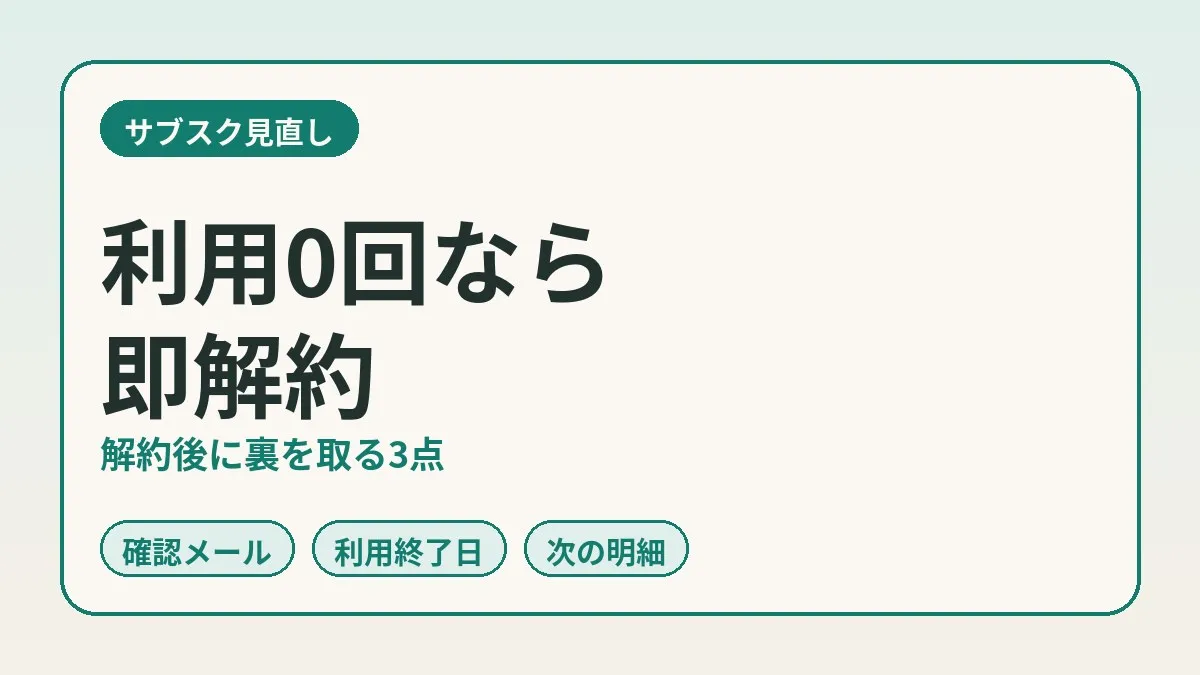
- After cancelling, verify three things: the confirmation email, the end-of-access date, and the next statement
I was supposed to judge by count
The subscription in question is a monthly membership for a VR fitness app. It runs on a Meta Quest headset, and the monthly fee was in the low 1,000-yen range.
I intended to use it four days a week as a morning exercise habit. So rather than cancel right away, I set a trial period. If I reached the number of uses I had decided on during that period, I would keep it. If not, I would cancel. That was the count-based rule.
The details of how to set it up are in my post on setting a trial period and judging by count. It is a framework where you decide four things up front: the period, the threshold count, the judgment date, and the action for each outcome. I won’t repeat the explanation here. I will only write about what happened after I put the framework in place.
I found out I had never used it once
To get straight to the point, the judgment date never came. I cancelled before it did.
The reason is simple. I found out there was no usage at all. Never mind whether I would reach half the target; the count was zero.
So I cancelled on my own call without waiting for the judgment date. The count-based judgment ended there. The person who made the rule moved ahead of the rule’s own deadline.
Zero usage leaves no reason to wait for the judgment
Abandoning a rule partway through feels a little uncomfortable. In the previous post I also wrote that it is important not to move the threshold midway.
But I don’t think I moved the threshold this time. What the count-based judgment was trying to answer was “am I actually using this?” At zero, that answer is already in. Waiting out the remaining days would not tell me anything more.
Zero also carries another meaning. A low count is a story about “not enough frequency.” Zero may be a story about “it never started.” A habit that had not begun, with only the monthly fee running ahead of it.
Setting a judgment rule means nothing if you aren’t using the thing. That is what sank in most this time. A rule gives you reassurance, but couldn’t it also become an excuse to keep paying while feeling reassured?
What to do for each usage situation
Sorting it out, I think the course of action splits three ways depending on usage.
| Usage | What to do | Why |
|---|---|---|
| 0 times (never used) | Cancel without waiting for the judgment date | The judgment has nothing left to tell you |
| 1 or more, below the threshold | Continue until the judgment date, and cancel if you fall short | You could still reach it in the remaining time |
| At or above the threshold | Keep it | It meets the condition you set in advance |
Only the middle row is where count-based judgment has a role. The top and bottom rows are decided without any counting.
One thing to be careful about is not confusing zero with “I haven’t counted yet.” If you simply haven’t been keeping records, checking your actual usage comes first. If the app shows a usage history, I think that is the most reliable source.
How many extra months waiting costs you
Looking at the price of waiting up front also makes the decision easier. There is just one idea: count how many renewal dates fall between today and the judgment date.
| Renewal dates between today and the judgment date | Extra charges if you wait | Rough guide |
|---|---|---|
| 0 | None | Waiting costs nothing, but there is no reason to wait either |
| 1 | One monthly fee | Cancel before the renewal date |
| 2 or more | Two or more monthly fees | The sooner you act, the bigger the difference |
If the monthly fee is in the low 1,000-yen range, one charge is not a large amount. But one charge for a subscription with zero uses is money that goes entirely unused. More than the size of the amount, I think what matters is not leaving behind a payment with no reason.
Conversely, there seem to be few situations where cancelling early costs you. Meta’s help says you can keep using the subscription until the end of the current billing cycle after cancelling. The period you paid for stays with you. So I could not find a reason to push the cancellation back.
Clicking this opens the Rakuten login page. Once you log in, you’ll see the campaign details.
How to cancel a Meta Quest subscription
From here on, the steps. This is what I was able to confirm in Meta’s official help.
According to the help, app and game subscriptions can be cancelled from four places: the help page, the Meta Horizon app, Meta.com, and the headset. The steps from the Meta Horizon app on a phone were as follows.
- Open the Meta Horizon app on your smartphone
- Tap “Menu”
- Scroll down and tap “Subscriptions”
- Tap the subscription you want to cancel
- Tap “Cancel subscription,” then tap “Confirm”
The steps for Meta.com and the headset can be checked by switching tabs on the same help page. On-screen wording can change, so open it once before you go through the procedure.
There is also guidance on the deadline. If you cancel at least 24 hours before the next billing cycle begins, you can keep using the subscription until the end of the current billing cycle. Rather than cutting it close to the renewal date, it seems wise to leave a day or more of margin.
Refunds are covered too. The help says that refunds cannot currently be requested for app and game subscriptions, with the proviso “except where required by law.” I think it is better not to act on the assumption that unused months will come back.
Note that this is about subscriptions purchased in Meta’s store. The help says that for orders made on a developer’s website, you should contact the developer. Where to cancel if you pay through the App Store or Google Play is summarized in the table in my previous post.
Three things to verify after cancelling
I consider pressing the button to be only half the job. I once wrote about a subscription I had marked as cancelled that kept on billing me. Out of that lesson, I now verify three things after any cancellation.
| What to verify | Where to look | Status this time |
|---|---|---|
| Confirmation email | Whether the provider has sent a cancellation confirmation | Confirmed by an email from Meta |
| End-of-access date | Until when it says you can keep using it | The date was in the email |
| Next statement | Whether there is no charge after the next billing date | I have set a date to check (not yet checked) |
The three points can be checked at different times. The confirmation email comes right after the procedure. The end-of-access date only means something once that day has passed. The statement comes last of all.
So until the third one is filled in, I don’t write “stop confirmed.” The current status is “procedure done.” Keeping those two apart is the rule I carried forward from my earlier mistake.
- Confirmation email: keep the email you receive instead of deleting it
- End-of-access date: note down the date written in the email or on the account screen
- Next statement: put the date you will check into your calendar ahead of time
What I looked at in the cancellation confirmation email
For this cancellation, I was able to verify with the cancellation confirmation email from Meta.
The email stated the date until which I could keep using the subscription. I take this date to be what the help calls the end of the billing cycle. So far, no receipt emails have arrived after that date.
No receipt emails is a good sign. But I don’t think that alone lets me say it has stopped. Emails can be overlooked. They might end up in spam. I will leave the final verdict to the statement after all.
Meta’s help also explained automatic cancellation. If a subscription has been cancelled without your requesting it, there may have been a payment problem. In that case, an email asking you to repurchase is said to arrive. If a similar email comes after you cancelled yourself, be careful not to rush into repurchasing.
Set the date to check the next statement
I have not yet checked the third item, the statement. The date to check is already set. I plan to look at my next card statement to see whether the charge has stopped.
So I won’t write the result in this post. All I can write is that I have “decided when to look.”
The National Consumer Affairs Center of Japan also urges people to check their credit card and other statements every month. It seems there are consultations from people who thought they had cancelled but kept being charged. Having done it once myself, it did not sound like someone else’s problem.
When you look at the statement, it seems better not to search by the service name alone. The biller may appear under the name of the operating company or the store. I think it is easier to find if you first open a statement from a month when you were charged and check how it is written.
One line I want to add to the judgment rule
This episode showed me that the count-based framework has one hole. There was no rule for looking at actual usage partway through, before the judgment date.
I think the framework itself is still usable. If I were to add something, wouldn’t it be this one line?
- Set a single check date partway through the period. If usage is zero at that point, cancel without waiting for the judgment date
Around a third of the way into the period may be an easy spot for the check date. For a trial period of about 5 weeks, that is around the end of week 2. If you have used it even once by then, you continue until the judgment date. If it is zero, you go through the cancellation that same day.
At work, too, we sometimes check “is it even running?” before the evaluation date of a campaign. There is no point waiting until month-end to evaluate an ad that isn’t being delivered. I think the same order works for household subscriptions.
I haven’t filled the freed-up slot yet
With the cancellation, my morning exercise slot is empty. I haven’t decided what to replace it with.
I don’t think there is any rush here. If you try to decide on the cancellation and the replacement at the same time, the cancellation tends to get delayed. It is easy to slip into “I’ll keep it until I find an alternative.”
Stop first, choose the next thing afterward. With a zero-use subscription, stopping changes nothing about your life today. The only thing that changes is the next charge.
Common mistakes and pitfalls
From how this went and from the official cautions, here are the points where it is easy to stumble.
- Feeling reassured by having set a judgment rule, and waiting for the judgment date without looking at actual usage
- Putting off cancelling at zero uses because “I might start next week”
- Keeping an unused subscription until a replacement service is decided
- Trying to cancel on the renewal date itself and missing the deadline
- Recording “cancellation complete” the moment the confirmation email arrives
- Mistaking the fact that you can use it until the end-of-access date for a failed cancellation
Even after you cancel, you may still be able to use the service until the end of the billing cycle. Just because the app opens does not mean the cancellation failed. If you want to make sure, I think it is best to look at the date in the confirmation email and what the account screen shows.
On the other hand, there are situations where it is better not to cancel right away. With services that hold your data, it is safer to finish migrating first. I wrote about this in my post on finding duplicate subscriptions as well. Even with fitness services, if you want to keep your records, it seems wise to check first.
Things to confirm before you start
- Checked actual usage of the subscription in the history or my records
- Confirmed where I am paying (Meta’s store, an app store, the official site, etc.)
- Checked the next renewal date and picked a day when I can cancel at least 24 hours ahead
- Decided the cancellation day on the assumption that there is basically no refund
- Decided where to save the confirmation email and the date to look at the next statement
Frequently asked questions
Q. When is the best time to cancel a subscription I’m not using?
I think it is the moment you know your usage is zero. A Meta Quest subscription can be used until the end of the billing cycle even after cancelling. It seems that cancelling early does not shorten the period you paid for.
Q. Is it okay to cancel early even though I set a judgment date?
At zero uses, I think it is fine. Count-based judgment is a tool for finding out whether you are using something. If you have never used it once, you already know what you wanted to find out.
Q. What if I used it just once?
In that case, I think the logical thing is to continue until the judgment date. There is still a chance you will reach the threshold you set. If you don’t, cancel on the judgment date.
Q. Where can I cancel a Meta Quest subscription?
Meta’s help says you can cancel from four places: the help page, the Meta Horizon app, Meta.com, and the headset. In the app, you go through “Subscriptions” in the menu.
Q. Will I lose access the day I cancel?
Meta’s help says you can keep using it until the current billing cycle ends. The condition is that you cancel at least 24 hours before the next cycle begins. For how other services handle this, check each one’s official guidance.
Q. Will I be refunded for months I didn’t use?
Meta’s help says refunds cannot currently be requested, except where required by law. I think stopping early is more dependable than counting on a refund.
Q. If the confirmation email arrives, can I consider the cancellation complete?
I don’t treat it as complete at that point. The confirmation email is the first of three points. I intend to write “complete” only after seeing no charge on the next statement.
Q. What should I do if charges continue after I cancelled?
I think contacting the provider’s support comes first. In Meta’s case, Meta Store Support is given as the contact for cancellation problems. If that doesn’t resolve it, the Consumer Hotline “188” can direct you to your nearest consumer affairs center.
Official sources I referred to
- Cancel an app or game subscription (Meta Quest Help)
- About managing app and game subscriptions (Meta Quest Help)
- Watch out for unexpected subscription billing trouble! (National Consumer Affairs Center of Japan)
Summary
The count-based framework was a tool for subscriptions you are actually using. If you have never used one, there is no reason to wait for the judgment date. I think you can stop it the day you learn the count is zero.
After cancelling, I verified with the confirmation email and the end-of-access date. Only the next statement remains. I will take my time thinking about what replaces the morning exercise, too.
If you have a subscription sitting unopened with a judgment date attached, why not start by just looking at the usage history?
Having stopped one fixed cost, it may be a good moment to glance over your monthly phone bill as well.
Clicking this opens the Rakuten login page. Once you log in, you’ll see the campaign details.
This article contains affiliate advertising. If you sign up for a product or service through a link on this site, we may receive compensation from the partner company. The site operator is also an employee of Rakuten Group and may receive compensation through an employee referral program. The content and opinions here are based on the operator’s own experience and research regardless of any advertising relationship, but please read with the above in mind. See the Disclaimer & Affiliate Disclosure for details. Disclaimer & Affiliate Disclosure
This article includes machine-translated content. Please check the official Rakuten Mobile multilingual page for exact terms.
If you have concerns about Rakuten Mobile coverage or signal quality, you can consult through the official signal improvement request form .