- 01I did not cut the subscription I had marked for cancellation right away
- 02Deciding by feel makes regret likely either way
- 03A trial period is different from a “free trial”
- 04Only four things to decide in advance
- 05Work backward from the renewal date to set the period
- 06Set the threshold as a “count”
- 07Put the decision date in your calendar
- 08Record the count in the lightest way possible
- 09What to do on the decision date
- 10Look up where to cancel in advance
- 11Google Play also has a pause option
- 12Leave a note even if the result is to keep it
- 13Common mistakes and pitfalls
- 14Who it suits and who it does not
- 15What to check before you start
- 16Frequently asked questions
- 17Official sources I referred to
- 18Summary
Good morning, this is まさきん.
In my review of fixed costs, one subscription was left that I could not decide whether to cancel or keep. Instead of deciding on the spot, I set a deadline and a usage-count threshold in advance. The decision date has not come yet, but I am noting down the framework for deciding first.
*This information is current as of the time of publication. Please check the official sites for the latest terms.
- For a subscription you cannot decide whether to cancel or keep, set a “trial period” instead of deciding on the spot
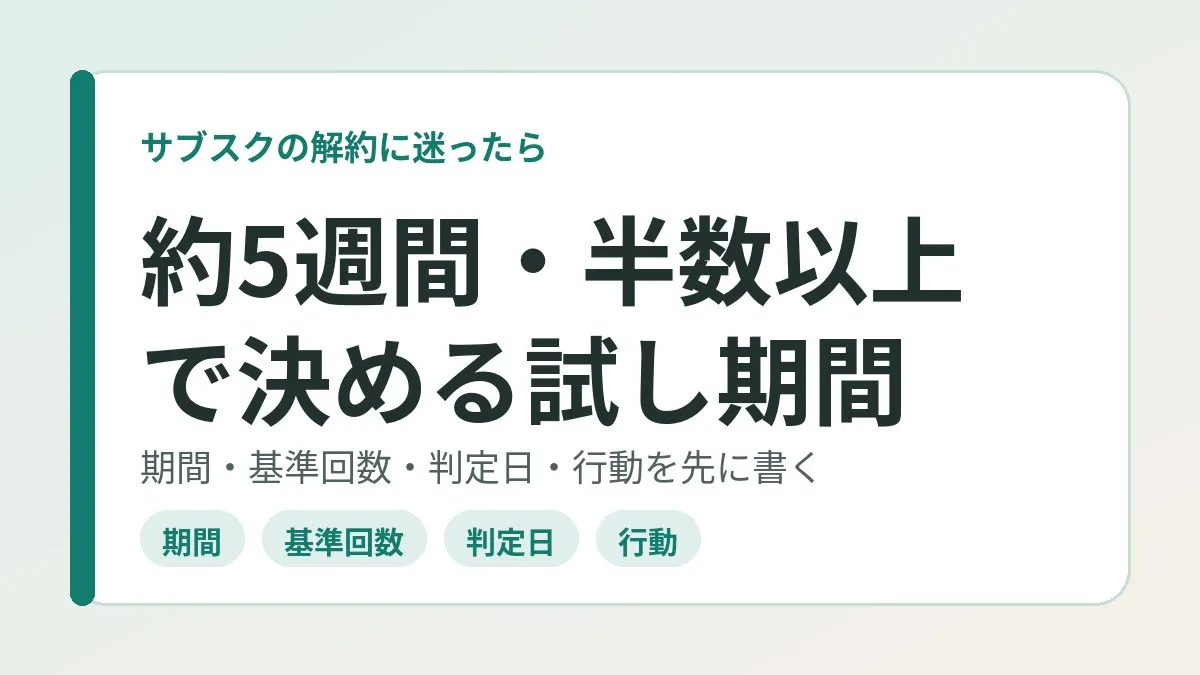
- Decide four things in advance: the period, the threshold count, the decision date, and the action for each outcome
- I went with about 5 weeks and “keep it if I do at least half the sessions, cancel if I fall short”
- Put the decision date in your calendar, and on the day decide mechanically by looking only at the count
- Place the decision date before the renewal date. Look up where to cancel in advance too
I did not cut the subscription I had marked for cancellation right away
The subscription in question is a monthly charge for VR fitness. During my fixed-cost review, I put it on the cancellation list once.
But I decided to assign it to my morning exercise slot. So I have not canceled it right away. Instead, I set a trial period.
The period is about 5 weeks. If I manage at least half the sessions in that time, I keep it. If I fall short, I cancel. I decided all of this up front and put the decision date in my calendar as a task.
The decision date has not arrived yet. So I am not writing the result in this article. All I can write is how I set up the decision.
Deciding by feel makes regret likely either way
I think subscriptions you waver on mostly have the same shape. You know it is worth it if you use it. But whether you are actually using it is doubtful. That kind of state.
If you leave it to feel here, the decision leans on the mood of the day. On a motivated day, it becomes “keep.” On a tired day, it may become “that is enough.”
There is one more pattern: letting it drift without deciding. The National Consumer Affairs Center of Japan explains that subscriptions incur charges even when you are not using them. Its guidance is that unless you cancel, the contract renews automatically and payments continue.
In other words, “on hold” gives the same result as “keep” if you do nothing. If you are going to put something on hold, I think you need to set the end date first.
A trial period is different from a “free trial”
The words are confusing, so let me separate them first.
A free trial offered by the service is about the time right after you sign up. According to the National Consumer Affairs Center of Japan, if you do not cancel during the free period, it moves automatically to a paid plan.
The trial period in this article is something else. It refers to an inspection period you set yourself on a subscription you are already paying for. Charges apply as usual. So I think it is important not to make it too long.
Only four things to decide in advance
Designing the decision rule just means filling in the following four.
| What to decide | Details | In my case |
|---|---|---|
| Period | From when to when you will test it | About 5 weeks |
| Threshold count | How many uses count as “keep” | At least half the planned sessions |
| Decision date | When you look at the result | Registered as a calendar task |
| Action for each outcome | If you reach it, and if you do not | Keep if reached, cancel if not |
The point is to write down all four before you start. If you can move the threshold partway through, you end up back at deciding by feel.
In work terms, it is the same as setting the success criteria before launching an initiative. If you create the criteria after seeing the results, any result can be called a “success.”
Work backward from the renewal date to set the period
I think the period is hard to use if it is either too short or too long.
With one week, the result is decided just because you happened to be busy. With three months, the number of payments before the decision goes up. For a monthly plan, spanning one or two renewals may be manageable. My roughly 5 weeks also falls within that range.
When deciding, check the next renewal date first. If you can place the decision date a few days before the renewal date, it is easier to avoid the next charge when you decide to cancel.
Google Play Help says that even if you cancel, you can keep using the subscription for the period you have already paid for. In that case, canceling on the decision date still lets you use the remaining period. It seems fair to say there is little risk of losing out by deciding early.
Set the threshold as a “count”
Make the threshold something countable. “Was I satisfied?” and “Does it feel like I got my money’s worth?” give wavering answers on the decision date. With a count, you just count and you are done.
I think how you set it varies a little with how often you use the service.
| Type of subscription | Examples | How to set the threshold | How to count |
|---|---|---|---|
| Daily use | Music, news, learning apps | Look at the number of days used | At least half the days in the period, for example |
| A few times a week | Fitness, video, language lessons | Look at the ratio to the planned sessions | With 3 planned per week, 15 over 5 weeks, and half is 8 |
| A few times a month | E-books, all-you-can-read magazines, extra storage features | Look at uses per month | Whether you used it 2 or more times a month, for example |
The numbers in the table are examples of how to set it. What I decided on is the ratio: “at least half.”
A line at half may look a little lenient. But a threshold that is too high becomes an empty formality once you stumble in week one. If you cannot do even half of what you planned, it does not fit your current life. I think it is good to set a line that can be read that way.
Clicking this opens the Rakuten login page. Once you log in, you’ll see the campaign details.
Put the decision date in your calendar
Put the decision date in your calendar instead of remembering it in your head. I registered it as a task.
It is easier if you write the threshold right in the task. Something like this, for example.
- Title: Subscription decision (monthly fitness app)
- Threshold: Did I do at least half the planned sessions during the period?
- If reached: Keep. Write down the next review time
- If not reached: Go through the cancellation steps that same day
The you of the decision date may be more tired than the you who set the threshold. I want things set up so that I can act without thinking when I open the task.
Record the count in the lightest way possible
Choose a way of counting that takes no effort. If recording is a hassle, the recording is what stops first.
- If the app has a usage history, look at that
- Mark only the days you did it on your calendar
- Add one line with the date to a note each time
In an earlier article, I wrote about looking at recent usage when sorting out duplicates. That was the article on finding duplicate subscriptions. That one was a method of deciding from past records. This time, it is a method of going out to collect records from here on. For a subscription with almost no past track record, I think this one fits better.
What to do on the decision date
Keep the steps for the decision date short.
- Count the number of uses during the period
- Compare it with the threshold you set in advance
- If you reached it, keep the subscription and note the next review time
- If you did not reach it, go through the cancellation steps that same day
- If you canceled, schedule a check of your statement on the next billing date
What matters is not adding reasons at step 2. “I was busy this month” usually applies the next month too. If you are going to extend, it may be good to decide in advance that it is once at most.
Step 5 comes from a mistake I wrote about before: the story of a subscription I had marked as canceled that kept charging me. A cancellation is complete on the day the charges stop, not on the day you went through the steps. This way of thinking applies just as well after a trial period.
Look up where to cancel in advance
The decision date says “cancel,” but you do not know where to cancel. I think this is the most wasteful pattern. So I look up just the location at the point when I start the trial period.
| How you subscribed | Where to check and cancel | What I confirmed in the official help |
|---|---|---|
| App Store (iPhone) | Settings → your name → Subscriptions | If no cancel button appears, it is already canceled |
| Google Play | The subscriptions screen in Google Play | You can keep using it for the paid period even after canceling |
| Directly on the official website | The account screen of the service | Check the procedure on the provider’s official website |
In Apple’s help, the iPhone procedure has four steps. You tap your name in Settings and open Subscriptions. Then you select the subscription and tap “Cancel Subscription.” It says you may need to scroll down to see the button.
Google Play Help states that uninstalling an app does not cancel the subscription. The National Consumer Affairs Center of Japan has also issued a warning that deleting the app alone does not cancel.
If you cannot find it in the list, you may have subscribed through another route. Apple’s help says that if there is no receipt email, you may have purchased it from another company. In that case, the guidance was to check who is billing you on your card statement.
Services that involve a device’s own store, like VR hardware, tend to have split routes. A monthly fitness app is not necessarily billed through your phone’s store either. It is reassuring to check where you are paying together with the description on your statement.
Google Play also has a pause option
Sometimes there is one more option between canceling and keeping.
According to Google Play Help, some apps let you pause a subscription. The pause starts at the end of the current billing period. The length is said to be from 1 week to 3 months, depending on the app and the subscription.
If you know you will not be able to use it because of travel or a busy season, inserting a pause before the trial period seems like an option. However, whether it is supported depends on the app. Take a look at the subscriptions screen to see if the option appears.
Leave a note even if the result is to keep it
Even if I reach the threshold and keep it, I do not intend to end things there.
In the article on canceling my note app’s sync subscription, I talked about writing down the assumptions even for subscriptions I decided to keep. That is so that a change in price or usage becomes a trigger to review.
If the trial period ends in “keep,” there is one more thing to write in the assumptions field. It is the track record: “used it at least half the time over about 5 weeks.” The next time I waver, I can just measure again with the same threshold.
Common mistakes and pitfalls
Here are the points I felt I might trip over while designing this.
- Not setting a decision date and settling for “I will see how it goes for a while”
- Setting the threshold in an uncountable form like “use it as much as possible”
- Having the decision date right after the renewal date, so one more charge applies even if you decide to cancel
- Lowering the threshold partway through, or extending the period again and again
- Not having looked up where to cancel, and stalling on the decision date
- Testing several at once and not keeping up the records for any of them
Charges keep applying during the trial period. Keeping something “on hold because I am unsure” for months may be the most expensive pattern. I think it is best to keep the period short and set the end date in advance.
Who it suits and who it does not
This framework seems to fit in cases like the following.
- You know it is worth it if you use it, but you are not confident you are using it
- The subscription is for something you want to make a habit, like exercise or study
- Usage is easy to count in sessions or days
Conversely, there are cases where it does not seem to fit.
- You have not opened it for months already (canceling seems fine without any test)
- A service you expect to use only a few times a year (it does not go well with a count threshold)
- You have two subscriptions that play the same role (sorting out the duplicate first is faster)
I wrote about working through fixed costs in order in the article on reviewing one contract per week. I think this can serve as a place to park a contract when one comes up there that you “cannot decide” on.
What to check before you start
- Narrowed the target down to one subscription
- Checked the next renewal date and how I subscribed
- Decided the period and wrote down the end date
- Wrote the threshold for keeping it as a number of sessions or days
- Placed the decision date before the renewal date and put it in my calendar
- Wrote down the action if I fall short and where to cancel
- Decided on one way to record the count
Frequently asked questions
Q. How long should the trial period be?
I do not think there is a fixed right answer. For a monthly plan, spanning one or two renewals may be manageable. I went with about 5 weeks. If it is too short, the result is decided by a busy spell that just happened to come up.
Q. Does the threshold have to be half?
No, you can decide it yourself. What matters is writing it down as a number before you start. As long as you do not move it partway through, I think 60% or one third would work too.
Q. Do charges apply during the trial period?
Yes. The National Consumer Affairs Center of Japan also explains that subscriptions incur charges even when you are not using them. So it seems best to keep the period to only what you need.
Q. If I cancel, do I lose access that same day?
Google Play Help says that even if you cancel, you can keep using it for the period you have already paid for. For how other routes handle it, please check the guidance of the service you subscribe to.
Q. Does deleting the app cancel the subscription?
No. Google Play Help says that uninstalling does not cancel a subscription. The National Consumer Affairs Center of Japan also advises that you need to cancel using the method set by the provider.
Q. Can I use this for a subscription in a free trial?
The thinking applies. But you need to be careful about the deadline. Apple’s help advises canceling at least 24 hours before the trial ends if you do not want it to renew. I think it is best to place the decision date comfortably ahead of the end date.
Q. What if I fell short of the threshold but do not want to quit?
I think that feeling is also input for the decision. But if you extend under the same conditions, you are back on hold. It may be good to limit extensions to one and rewrite the threshold and the decision date.
Q. Where can I get advice if cancellation turns into a dispute?
The National Consumer Affairs Center of Japan directs people to consult their nearest consumer affairs center. The Consumer Hotline “188” is a nationwide number that guides you to a nearby consultation desk.
Official sources I referred to
- If you want to cancel a subscription from Apple (Apple Support)
- Cancel, pause, or change a subscription on Google Play (Google Play Help)
- Watch out for unexpected subscription billing trouble (National Consumer Affairs Center of Japan)
- Subscriptions: deleting the app alone does not cancel (National Consumer Affairs Center of Japan)
- Consumer trouble involving the internet (Consumer Affairs Agency)
Summary
I think you do not have to decide on the spot about a subscription you are unsure of. But a period of not deciding needs an end date. If you write down the period, the count, and the decision date in advance, all you have to do on the day is count.
My decision is still ahead. I do not yet know whether I will keep it or cancel it. Either way, the one thing I have already taken care of is not having to wonder how to decide.
If you have a contract stuck between canceling and keeping, why not start by just putting a decision date in your calendar?
Clicking this opens the Rakuten login page. Once you log in, you’ll see the campaign details.
This article contains affiliate advertising. If you sign up for a product or service through a link on this site, we may receive compensation from the partner company. The site operator is also an employee of Rakuten Group and may receive compensation through an employee referral program. The content and opinions here are based on the operator’s own experience and research regardless of any advertising relationship, but please read with the above in mind. See the Disclaimer & Affiliate Disclosure for details. Disclaimer & Affiliate Disclosure
This article includes machine-translated content. Please check the official Rakuten Mobile multilingual page for exact terms.
If you have concerns about Rakuten Mobile coverage or signal quality, you can consult through the official signal improvement request form .