- 01Why the shop name on a card statement is different
- 02Patterns of names that appear on statements
- 03What the preliminary and confirmed versions tell you
- 04What happened in our household
- 05Step 1: Sort by who used the card and whether the shop is new
- 06Step 2: Choose how to confirm the contents
- 07Step 3: Sort into necessary or discretionary
- 08The one charge over the consultation line
- 09Common mistakes and pitfalls
- 10The order of checks when you do not recognize a charge
- 11Who this suits and who it does not
- 12What to check before you start
- 13Frequently asked questions
- 14Official sources I referred to
- 15Summary
Good morning, this is まさきん.
One Sunday, the name of the same shopping mall appeared five times on my card statement. I could not tell from the statement which shop each was or what had been bought. Here are my notes on the sorting steps I took.
Note: this information is current as of publication. Please check the official sites for the latest terms.
- The shop name on a card statement can differ because tenants inside a mall are sometimes billed under the facility name
- The official pages of Rakuten Card and JCB had explanations to the same effect
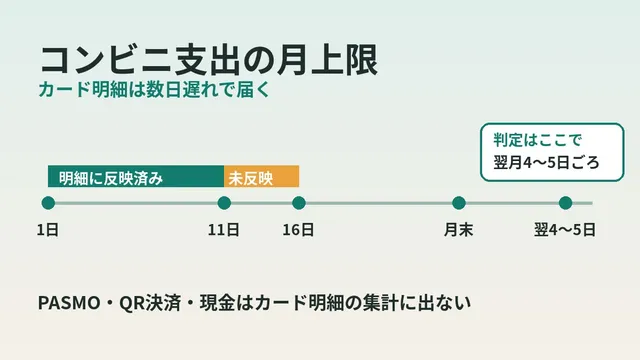
- The preliminary notification does not show the merchant. The confirmed statement comes two days later at the earliest
- When you do not know the contents, sort first by “who used the card” and “is this a shop I am seeing for the first time”
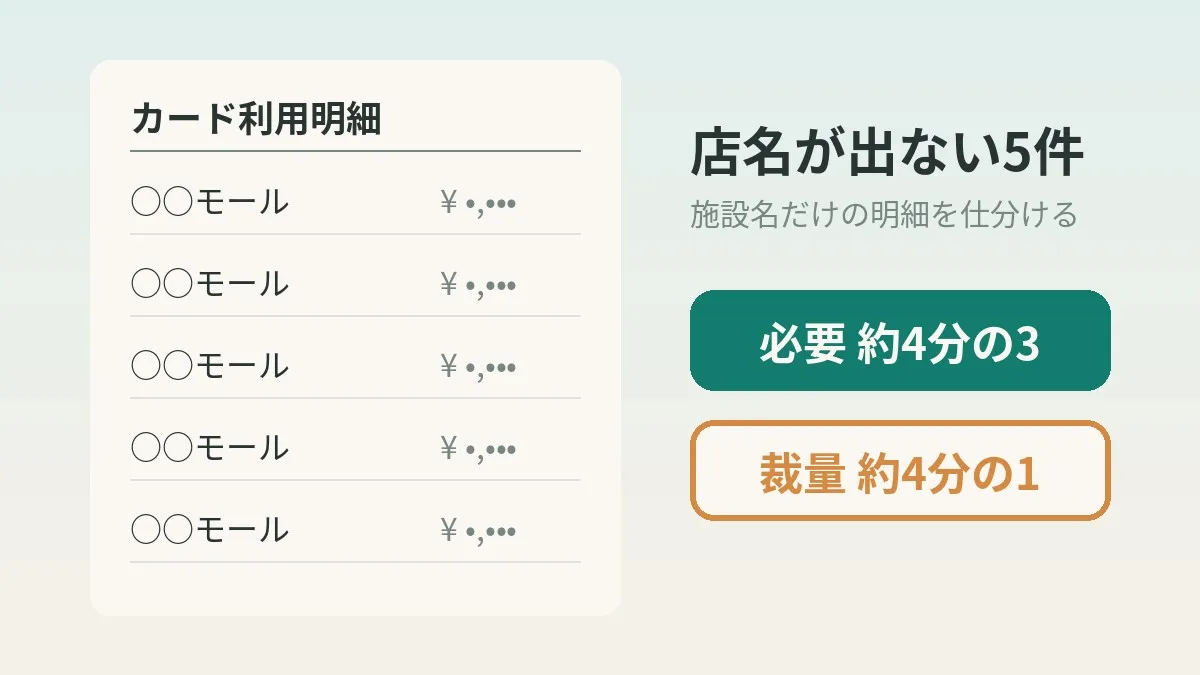
- Of our five charges, about three quarters was necessary spending and about one quarter was discretionary spending
Why the shop name on a card statement is different
The name on a card statement is the name the shop registered when it signed its contract with the card company. It is not necessarily the same as the name on the sign.
The official Rakuten Card page summarizes common cases. One of them is being “billed under a facility name or parent company name rather than the shop name.” It explained that tenants inside a shopping mall are sometimes billed under the mall name.
So even if only the mall name appears on the statement, it is not necessarily fraud. It may be quicker to suspect the mechanism first.
The same explanation on other companies’ official pages
This does not seem to be just a Rakuten Card thing. The official JCB page had similar guidance.
JCB gives three examples. Shopping malls and department stores may be shown under the commercial facility name. Supermarkets and gas stations may appear under the operating company name. And event tenants and antenna shops may show a place name or shop name different from where you actually used the card.
The Sumitomo Mitsui Card explainer page also said the registered name may be the operating company name. It seems safe to treat this as a mechanism common to card companies.
Patterns of names that appear on statements
I put what I could confirm on the official pages into a table. The left column is how it looks on the statement.
| How it looks on the statement | When it tends to happen | Official explanation I could confirm |
|---|---|---|
| Facility name (mall name, department store name) | Tenants inside a mall | Rakuten Card, JCB |
| Operating company name or parent company name | Supermarkets, gas stations | Rakuten Card, JCB, Sumitomo Mitsui Card |
| A place name or shop name different from where it was used | Event tenants, antenna shops | JCB |
| ”Rakuten SP●●●” or “SQ*●●●“ | Payment terminals on phones or tablets | Rakuten Card (●●● is the shop name) |
| With a number, like “ABC0570-” | Charges through a payment processing company | Rakuten Card, JCB |
| ”Overseas use” | Sites whose operating company is overseas | Rakuten Card, JCB |
For entries with a number, the guidance was to contact that number directly. Rakuten Card says it cannot disclose information about payment processing companies.
What the preliminary and confirmed versions tell you
Rakuten Card usage notifications come in two stages, preliminary and confirmed. Lining up the explanations on the official page gives this.
| Item | App notification and preliminary email | Confirmed version (statement) |
|---|---|---|
| When it arrives | Right after use | Two days later at the earliest |
| Merchant | Not shown at this point | Can be checked on the statement screen |
| Nature | Notification at the time of authorization | Notification of confirmed statement information |
So not knowing the shop name at the preliminary stage is by design. However, even the confirmed version can still show only the facility name. Whether the tenant name appears may depend on the name the shop registered.
There is one more thing to note. The “date and time of use” in the notification is when Rakuten Card processed it. Apparently it can differ from when you actually used the card.
Some uses do not trigger a notification
Some uses are excluded from the card usage notification email. The official page listed the following.
- Uses under 500 yen in a single transaction
- Some recurring uses such as utility bills
- Uses overseas
- Rakuten ETC Card usage
Small parking fees and the like may not show up in notifications. I think it is hard to assemble a full day of usage from emails alone.
Family cards are handled a little unusually too. Family card usage is not delivered in app notifications to the primary member. On the other hand, the page said it is delivered in the preliminary email.
What happened in our household
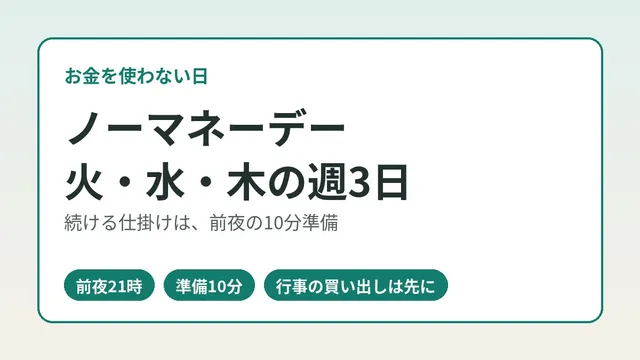
In my household we look back at card usage every night. Spending is split into three: “fixed costs,” “necessary spending the family has agreed on,” and “discretionary spending.” Discretionary spending also has a daily guideline.
One Sunday there were five payments at the same mall on the same day. Family card usage was mixed in.
The statement synced to my household budget app had no tenant names. Neither did the preliminary usage notification emails. All I had on hand was the facility name and the amounts.
The confirmed notification email arrives a few days later. At that point, the one for that day had not yet arrived.
I have AI help with the tallying. But the member site requires a login. I have not handed over the password, so I do not have the AI open it. The nightly setup is described in how I have AI automatically check card spending every night.
Step 1: Sort by who used the card and whether the shop is new
Sorting without knowing the contents is not realistic. So I first organized things using only what I did know. There are two axes.
- Split by user (yourself or a family member)
- See whether it is a shop you are seeing for the first time (or a name that always shows up)
- Group payments on the same day at the same facility
- Mark anything whose amount exceeds the consultation line
At this stage I do not yet decide between necessary and discretionary. It is prep work to narrow down whom to ask and how many items to ask about.
The official JCB page also advised checking whether the user on the statement is a family member. Splitting by user overlaps with the card company’s own procedure.
Step 2: Choose how to confirm the contents
There are several ways to confirm the breakdown. I lined them up by speed and reliability. The ratings are my own impression.
| Method | What you learn | Speed | Things to note |
|---|---|---|---|
| Ask the person or family | The shop and what was bought | Fast | Memory can be vague |
| Receipt or sales slip | Shop name, items, amount | Fast | No use if thrown away |
| Confirmed notification or member site | The registered merchant | Two days at the earliest | May still be the facility name |
| Statement synced to a budget app | Date, amount, registered name | Wait for sync | Syncing can lag |
| Mall app or point history | Usage history by shop | Depends on the facility | Check whether the facility supports it |
JCB advises that if you have the sales slip, you check whether the “date of use” and the “amount” match. I think a receipt is the most solid evidence.
In my case, I settled it by asking the person and the family. One charge was books. The others were children’s clothes and the like. There was also one parking fee.
- One of the five charges was books
- The others were children’s clothes and the like, plus a parking fee
- The way I confirmed it was by asking the person and the family
With monthly fixed costs like communication costs too, you may spot waste more easily if you check them while looking at your statement.
Clicking this opens the Rakuten login page. Once you log in, you’ll see the campaign details.
Step 3: Sort into necessary or discretionary
Once you know the contents, you can finally sort. Our household’s criteria are as follows.
| Category | Our household’s criteria | This case |
|---|---|---|
| Fixed costs | Things that go out at about the same amount every month | None |
| Necessary spending | Things the family has agreed on | Children’s clothes and the like, parking fee |
| Discretionary spending | Things life goes on without | Books |
The result: about three quarters of the total was necessary spending. The remaining one quarter or so was discretionary spending.
I noticed something here. Had I looked only at the mall name and judged “Sunday at the mall = discretionary,” I would have been far off. A facility name tells you nothing about the nature of the spending.
Backing for the way of sorting
Where to draw the line between “necessary” and “discretionary” differs by household. Official classifications cannot simply be used as they are.
For reference, the Ministry of Internal Affairs and Communications Family Income and Expenditure Survey divides expenditure broadly into two. Consumption expenditure means living expenses, so to speak. Non-consumption expenditure is defined as spending the household has no freedom over, such as taxes and social insurance premiums.
Shopping paid by card falls almost entirely within consumption expenditure. How to split it up inside that is something we have to decide ourselves, in my view.
The one charge over the consultation line
Our household has a line: “if it is over this amount, talk about it beforehand.” The amount is 10,000 yen.
One of the five charges was slightly over this line. Whether there had been a conversation beforehand remains unconfirmed.
Sorting and confirming the consultation are separate tasks. Just because something went into necessary spending does not mean the consultation check is done. I plan to ask about this next.
Carry statement sync gaps over to next time
One more thing was left over. One charge that was in the preliminary emails had not yet appeared in the budget app statement.
The timing of syncing differs by route. Trying to line everything up that same day may actually make the numbers wobble. I decided to reconcile it at the next household budget check.
The steps for working out usage from preliminary emails and a household budget are in how to know your Rakuten Card usage before the statement is finalized.
Common mistakes and pitfalls
Here are mistakes that are easy to make.
- Deciding it is “discretionary spending” from the facility name alone
- Trying to ask the card company to investigate at the preliminary stage
- Assuming family card charges are your own
- Forgetting to count small payments that do not trigger a notification
- Closing unconfirmed items as “confirmed”
The second one comes with an official caution too. Rakuten Card does not accept requests to check or investigate usage that has not yet appeared on the statement. Apparently a detailed investigation is not possible from the preliminary notice alone.
- If the family has no idea either, check with the merchant or the card company
- Rakuten Card says you can temporarily suspend the card from Rakuten e-NAVI
- Sumitomo Mitsui Card fraud claims cover usage up to 60 days before the claim date
The order of checks when you do not recognize a charge
This is the flow when asking the family does not solve it. It follows the order on the official Rakuten Card page.
- In the Rakuten Card app or Rakuten e-NAVI, see whether it appears on the statement
- Check whether it matches a common case (facility name, operating company name, family usage, and so on)
- If not, contact the merchant directly
- If that does not resolve it, ask through Rakuten e-NAVI chat support
If you are worried, you can temporarily suspend the card in Rakuten e-NAVI. Apparently you can lift the suspension yourself as well.
How I looked into a monthly charge of unknown origin is in a separate article: an unrecognized monthly fee on a card statement and how to find who is billing.
Who this suits and who it does not
These steps seem to suit households like the following.
- You use family cards and users get mixed up easily
- You do bulk shopping at a mall several times a month
- You want to manage spending by splitting it into necessary and discretionary
Conversely, I think there are cases where it does not fit.
- You use the card alone and remember almost everything you bought
- You enter receipts into your household budget the same day
- You do not sort, and only look at the monthly total
In the latter cases, you may not need this much organizing.
What to check before you start
- Have you set up card usage notifications (preliminary and confirmed)
- Do you know where family card usage is notified
- Do you have a habit of keeping receipts and sales slips for a few days
- Has your family decided the criteria for necessary and discretionary spending
- Have you set the amount above which you talk beforehand
- Do you have a note field to carry unconfirmed items over to next time
Frequently asked questions
Q. Is it fraud if the shop name on the card statement is different?
Not necessarily. Tenants inside a mall are sometimes billed under the facility name. The official pages of Rakuten Card and JCB explained this. It seems best to first check whether the date and amount ring a bell.
Q. Why does the preliminary email not show the shop name?
The official Rakuten Card page says the merchant is not shown at this point. The preliminary notice is sent at the time of authorization. The merchant is something you check on the confirmed statement.
Q. When can I see the confirmed statement?
According to Rakuten Card, two days later at the earliest. However, notifications can apparently be delayed or fail to arrive. Planning on waiting a few days may give you peace of mind.
Q. If the confirmed version still shows the mall name, how do I look into it?
Match the date and amount against a receipt or sales slip. If you have none, I think asking the person and the family is quickest. If it is still unclear, the next step is to contact the merchant.
Q. Is family card usage notified to the primary member?
With Rakuten Card, app notifications are not delivered to the primary member. The guidance says it is delivered in the preliminary email. In the family card member’s app, notifications arrive if they log in with their own ID.
Q. Is a parking fee necessary or discretionary?
In our household, we match it to the purpose of the shopping. This time the shopping was mainly children’s clothes and the like, so I put it in necessary spending. Is this not a part each household can decide for itself?
Q. How do I record a payment whose contents I do not know?
I leave it as “unconfirmed.” If I force it into one side or the other, I am likely to forget to fix it later. I carry it over as an item to ask about at the next household budget check.
Q. How should I set a guideline for discretionary spending?
Our household manages it with a daily guideline. Setting it by the week is another way. An example for eating out is in how to set a weekly budget for eating out.
Official sources I referred to
- Rakuten Card: If you receive a charge you do not recognize
- Rakuten Card: Card usage notification email
- JCB: If there is a charge you do not recognize
- Sumitomo Mitsui Card: Explainer on unrecognized charges
- Sumitomo Mitsui Card: For those troubled by an unrecognized statement entry
- Statistics Bureau, Ministry of Internal Affairs and Communications: Family Income and Expenditure Survey, explanation of terms
Summary
A statement that shows only the mall’s facility name seems to be common, as a matter of how the system works. Rather than trying to guess the contents from the name, sorting first by user and by whether the shop was new narrowed down whom to ask.
Even if something remains unconfirmed, I think carrying it over to next time is fine. On a day when the same mall name lines up, please give it a try.
Along with checking your fixed costs, how about taking a look at your communication costs too?
Clicking this opens the Rakuten login page. Once you log in, you’ll see the campaign details.
This article contains affiliate advertising. If you sign up for a product or service through a link on this site, we may receive compensation from the partner company. The site operator is also an employee of Rakuten Group and may receive compensation through an employee referral program. The content and opinions here are based on the operator’s own experience and research regardless of any advertising relationship, but please read with the above in mind. See the Disclaimer & Affiliate Disclosure for details. Disclaimer & Affiliate Disclosure
This article includes machine-translated content. Please check the official Rakuten Mobile multilingual page for exact terms.
If you have concerns about Rakuten Mobile coverage or signal quality, you can consult through the official signal improvement request form .