Good morning. It’s まさきん.
I’ll start with the conclusion. When your Rakuten Mobile signal feels bad, the cause is often closer to home than you think. It might be your phone’s settings, where you keep it, or the signal conditions in your home or office.
Sometimes the coverage area itself is the problem. But if you narrow down the cause and work through the fixes in order, things may improve more easily than you expect.
Today I’ll also share my own struggles with weak signal. I’ll explain how it all works from a digital marketer’s point of view, in plain terms.
How the Rakuten Network and the Partner Network Work
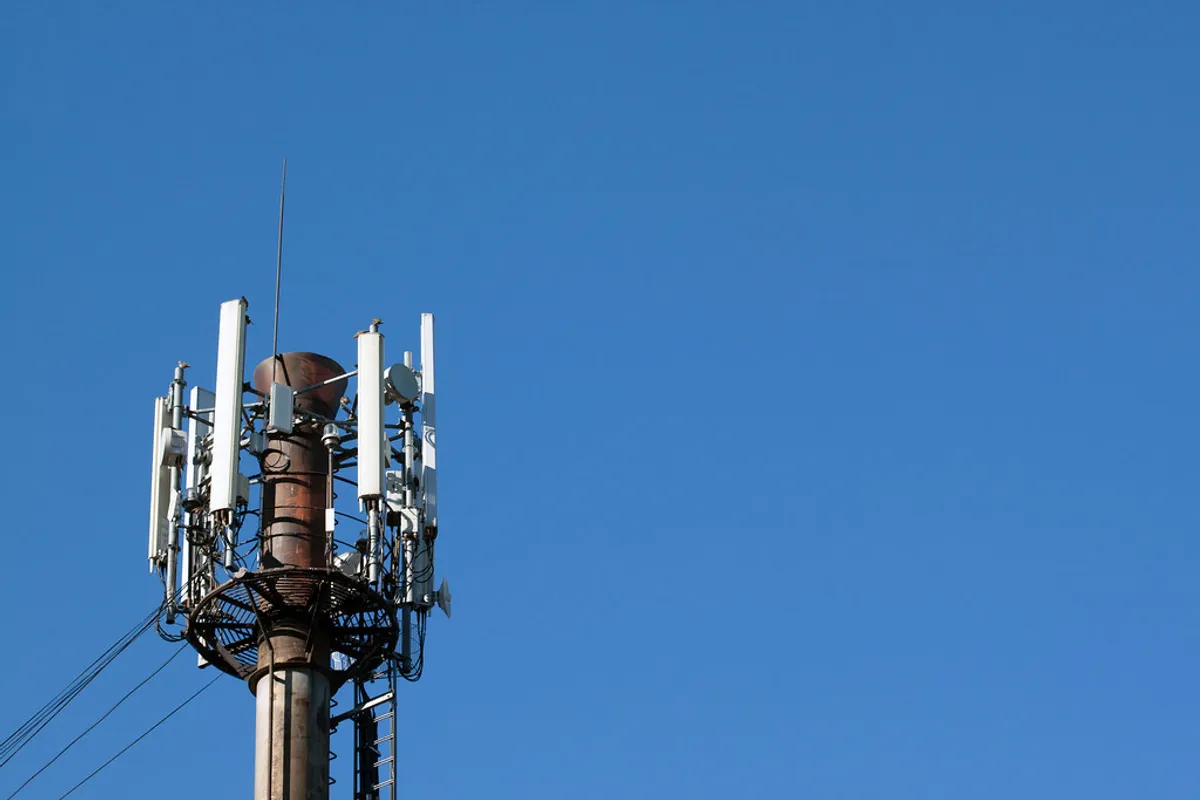
First, some background. Rakuten Mobile’s signal comes from two main sources: the “Rakuten network” and the “partner network (au network).”
One covers areas served by Rakuten’s own base stations. The other covers areas where Rakuten borrows another carrier’s infrastructure. Your phone switches between these two networks automatically.
In my day job, I also work with web ad delivery systems. This setup reminds me a little of how those systems automatically switch between delivery targets.
Your phone is constantly measuring the signals coming from nearby base stations. When the Rakuten network signal drops below a certain threshold, it switches over to the partner network automatically.
I think this switching depends more on the network side than on the SIM. Decisions are being made behind the scenes, even if you never notice.
At the moment of switching, though, there can be a lag of a few seconds. Right as it switches, your connection may feel like it dropped for a moment. This could be one reason the signal “feels bad.”
The partner network also currently has a cap on data usage. Depending on the conditions, your speed may be throttled, so that is worth knowing.
Why Signal Gets Weaker Indoors
Another common pattern is signal suddenly getting weaker indoors. It works fine outside, but drops once you walk into a room. This makes more sense once you look at the physics of radio waves.
The higher the frequency of a mobile signal, the more it travels in a straight line. Its ability to bend around obstacles (diffraction) tends to get weaker.
Reinforced concrete walls, metal window frames, and insulated window glass all weaken signals a lot. Signals also struggle to reach the middle floors of steel-frame buildings, basements, and elevators.
My home is a reinforced concrete apartment too. It worked fine in the living room. But the moment I moved my desk from the bedroom window to my study, the signal dropped from 3 bars to 1.
When I looked into it, there were two layers of rebar-reinforced walls between my study and the base station. That seemed to be the main cause of the signal loss.
As you can see, moving just a few meters inside the same home can change your reception. I don’t think that’s unusual.
Start by figuring out exactly where your signal is weak. That’s probably the first step to fixing it.
What to Check When You Have Bars but Cannot Connect
The bars look fine, but you can’t actually connect. That may be a different issue from weak signal.
When the network is congested, data can get stuck even when the signal is reaching you. If connection problems change depending on the time of day, this could be the reason.
Once your data usage passes a certain point, your speed may be throttled. It’s a good idea to check the data allowance on your plan.
Don’t overlook problems with the Rakuten Link app either. If its cache is out of date, calls and data may not go through properly.
Sometimes the phone isn’t reading the SIM correctly. Restarting the phone or taking the SIM out and putting it back in often fixes this.
- Check the data allowance and usage on your plan
- Update the Rakuten Link app to the latest version
- Take the SIM out and put it back in
- Restart your phone, and try turning airplane mode on and off
Once you’ve tried all of these, move on to the fixes below.
Fixes You Can Try Right Now
Once you have an idea of the cause, try the following fixes in order. They don’t need any special knowledge, and each takes just a few minutes from your phone’s settings screen.
- Turn airplane mode on and off: This is the easiest method and often works. Your phone may be stuck holding on to old base station info, a kind of “cell lock.” Turning airplane mode on and back off makes it fetch fresh info from nearby base stations. When my signal gets unstable, this is always the first thing I try.
- Restart your phone: If toggling airplane mode doesn’t help, try restarting the phone itself. This resets network-related background processes and can bring your connection back to normal.
- Check your APN settings: Occasionally, the APN (access point name) settings get out of place. In the Settings app, check that Rakuten Mobile’s official APN info is set correctly.
- Move near a window or somewhere higher: Signals are easily blocked by obstacles, so try moving as close to a window or as open a space as you can. That alone sometimes helps.
- Restart or update the Rakuten Link app: Call quality can be affected by the app’s cache. Updating to the latest version or restarting the app is worth a try.
These also help you narrow down the cause. For example, if toggling airplane mode fixes things, it may have been a temporary glitch on the phone. If changing locations doesn’t help at all, that’s a sign the problem is the signal in that area itself.
If Things Still Do Not Improve
If nothing changes after trying all of the above, it’s time for the next step. The first thing to consider is a device that can boost the signal in a specific spot indoors.
Devices for areas with weak outdoor signal and devices for a specific room indoors serve different purposes. Work out which situation is closer to yours before deciding.
Note that the available devices and services may change. Before signing up for anything, I recommend checking the latest information on the official website.
It’s also possible that your area isn’t covered by either the Rakuten network or the partner network. In that case, there may be a limit to what you can fix on your own.
It’s a good idea to check the signal around your home and workplace in advance on the official coverage map page. How much coverage has improved varies a lot by area.
If things still don’t change, another option is to submit a request through the official signal improvement and investigation request form. The process was simpler than I expected.
- Choose your product, device model, and problem category (calls or internet connection)
- Mark the location on a map, then enter the building name, indoor or outdoor, and floor
- Select the number of signal bars shown, 4G or 5G, and when the problem started
- Enter your contract phone number and account holder name, then submit
- You will receive the investigation results by email in about 3 business days
Rather than taking any single definitive-sounding claim at face value, I think it’s good to get into the habit of checking the latest official information.
Some people may still absolutely need a stable connection for work. Another option is dual SIM, where you use a SIM from another carrier as a backup line.
Based on my own experience with my home setup, I keep a backup line for redundancy. It’s similar to the marketing idea of “not relying too much on a single channel.” If you think of mobile service as a kind of infrastructure, it starts to make sense.
Once you start considering a backup line, you’ll naturally want to review your overall phone costs too. Since the backup line is with another carrier, you can estimate its cost on a pricing simulation page. While I’m at it, I think I’ll line up my plans and take a look.
Clicking this opens the Rakuten login page. Once you log in, you’ll see the campaign details.
Summary
When your Rakuten Mobile signal feels bad or won’t connect, the key is narrowing down the cause step by step. Is it the phone, the placement or the building, or the coverage area itself?
Start with easy fixes like toggling airplane mode or restarting. If that doesn’t help, work up in stages, from looking into indoor devices to checking coverage on the official website. A backup line is also worth considering if you need one.
Signal conditions really do vary a lot depending on where you live and how your building is built. Take your time, try things one by one, and find the setup that works best for you.
In my home, these fixes have been enough to keep things working to my satisfaction. The savings on cost are big too, and overall I’m glad I chose Rakuten Mobile.
After checking the coverage and the fixes, if you’re interested, consider signing up directly from the official website.
Clicking this opens the Rakuten login page. Once you log in, you’ll see the campaign details.
This article contains affiliate advertising. If you sign up for a product or service through a link on this site, we may receive compensation from the partner company. The site operator is also an employee of Rakuten Group and may receive compensation through an employee referral program. The content and opinions here are based on the operator’s own experience and research regardless of any advertising relationship, but please read with the above in mind. See the Disclaimer & Affiliate Disclosure for details. Disclaimer & Affiliate Disclosure
This article includes machine-translated content. Please check the official Rakuten Mobile multilingual page for exact terms.
If you have concerns about Rakuten Mobile coverage or signal quality, you can consult through the official signal improvement request form .